
SAP Event Mesh on BTP: requirements, cost and the most common mistakes
Setting up Event Mesh takes a day. The work goes into entitlements, role collections and event processing. What the service does, what you need to run it and what it costs.

In many subaccounts, Event Mesh doesn't appear in the Service Marketplace even though the contract includes it. In our projects that is the more common problem; setting up the service itself takes a day. Most of the work goes into entitlements, role collections and outdated tutorials, and later into error handling.
SAP Event Mesh (opens in a new tab) is the messaging service of SAP Business Technology Platform. It decouples sender and receiver: an event waits in a queue until a consumer picks it up. This article is the overview for our six-part series. It covers what the service does, what you need to run it and what it costs; the individual parts, linked at the end, go into the details.
What Event Mesh does
Without Event Mesh, an integration flow writes directly to the target system. If SAP is unavailable at that moment, or the flow isn't deployed, the event is lost: the source system gets an error and the record never arrives.
With Event Mesh in between, one flow accepts the event and puts it into a queue, and a second flow picks it up from there and writes it to SAP. The two flows don't know each other; the only thing connecting them is the queue name. In practice that means: if the receiver is down when an event is triggered, the source system still gets a positive response, and the record is created in SAP as soon as the receiver is back up.
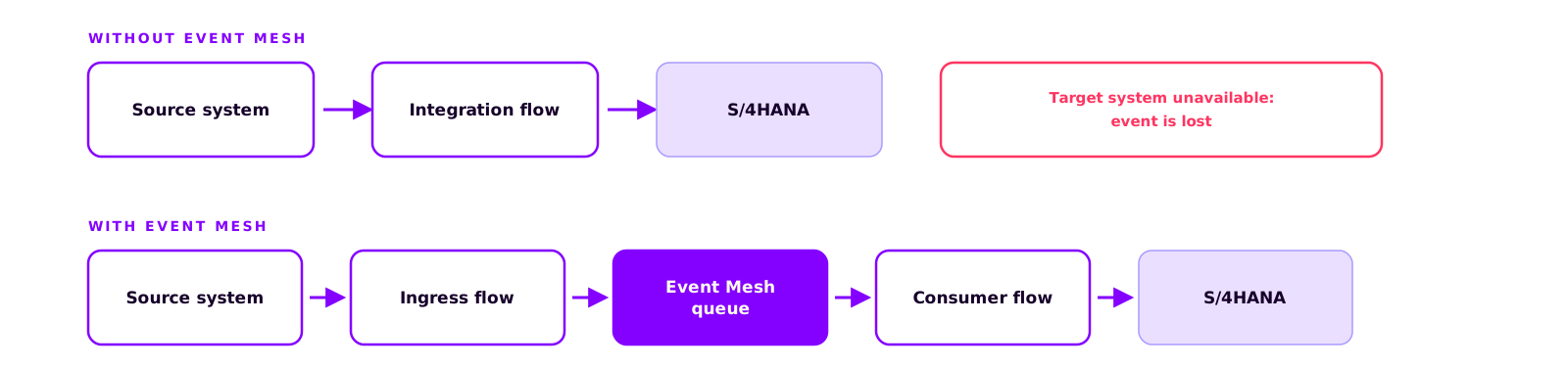
Events are published to a topic, which is the address they are sent to, and stored in a queue that subscribes to that topic. The topic itself stores nothing: publish to a topic that no queue subscribes to, and the event is discarded on the spot. The decoupling therefore comes from the queue. Part 2 explains how topic, queue and subscription fit together.
Why we recommend Event Mesh almost every time
We recommend Event Mesh for practically every integration project, including small ones, because it makes the integration scalable in four respects.
You can rebuild, redeploy or replace the receiver while events keep arriving and waiting, so a maintenance window in the target system no longer means data loss. One event can serve several receivers: if you later add reporting, an archive or a second target system, you attach another queue without touching the sending side. The queue buffers load peaks, the receiver processes at its own pace, and a mass run in the source system doesn't overload the target. And if one event fails, only that event is affected; the rest keep flowing.
The price is added complexity: two flows and a queue instead of one connection. We consider that acceptable, because none of these four properties can be retrofitted into a direct connection.
Three products, one name
SAP uses the name Event Mesh for three different products. Mix them up and you end up searching the marketplace for a service you never licensed.
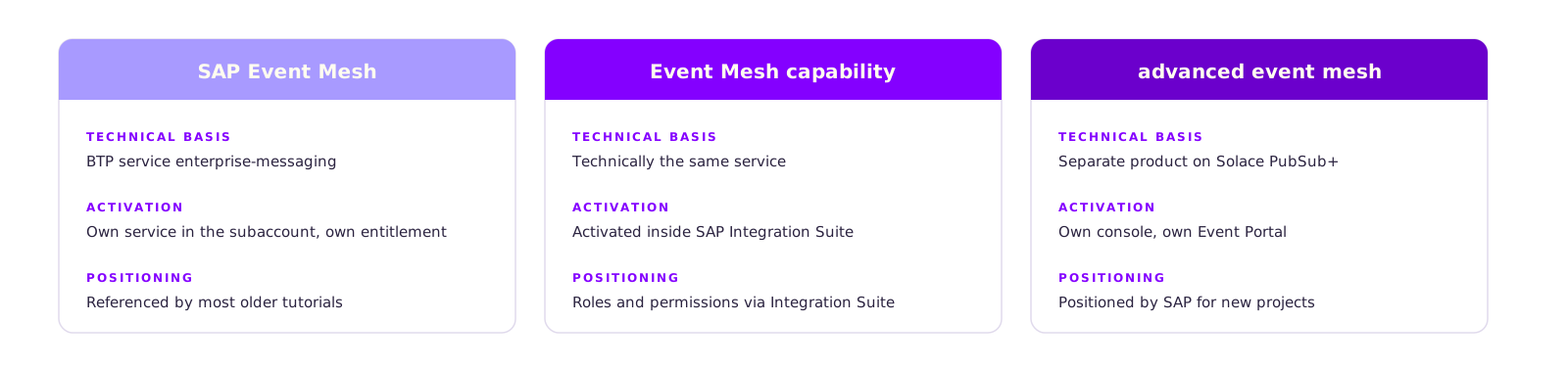
SAP Event Mesh (standalone) is the classic BTP service. It is booked as a separate service in the subaccount and has its own entitlement. Most older tutorials refer to this one.
Event Mesh as a capability of SAP Integration Suite is technically the same service, but it is activated inside Integration Suite rather than booked separately, so roles and permissions are managed differently.
SAP Integration Suite, advanced event mesh is a separate product built on Solace PubSub+, with its own console, its own Event Portal and far greater capacity. SAP positions it for high-volume event scenarios such as distributed supply chains or point of sale (SAP blog (opens in a new tab)).
Requirements
A paid BTP account is mandatory. SAP retired the trial offering in February 2023 (opens in a new tab), and the lite plan is deprecated (opens in a new tab). Older tutorials that build on either will fail with an error.
You also need:
- an entitlement for Event Mesh in the global account
- a supported region
- an enabled Cloud Foundry environment in the subaccount
- the right role collections for your user
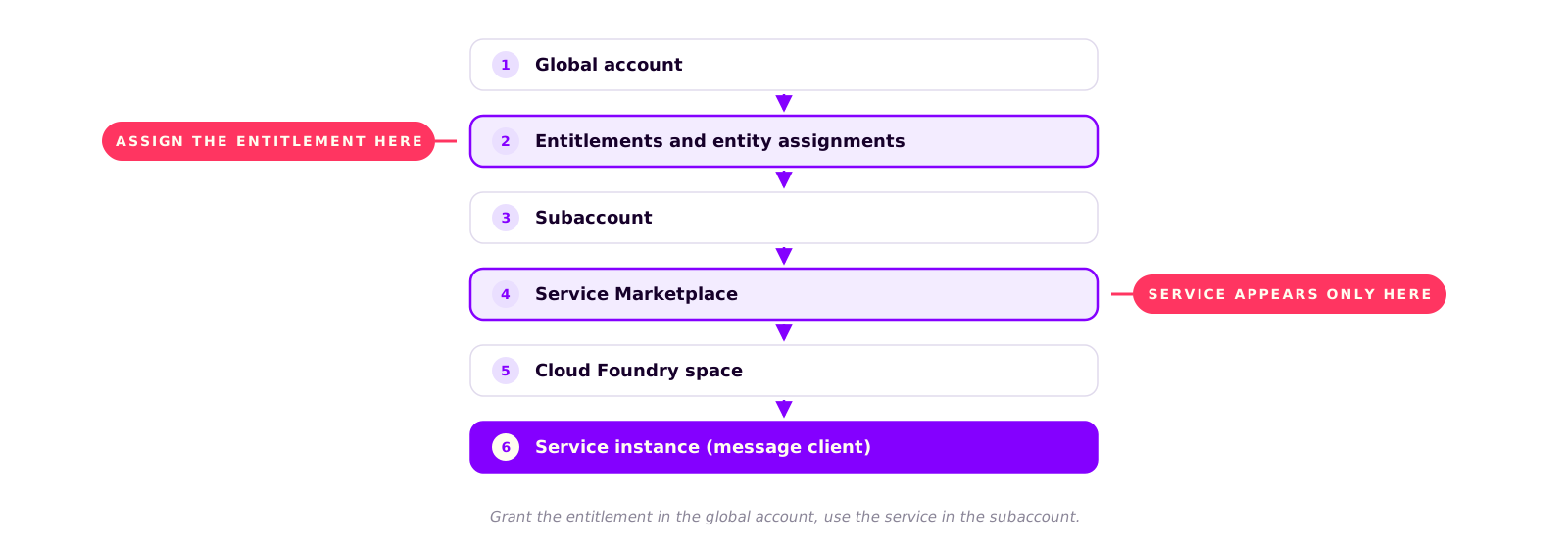
The most common reason Event Mesh is missing from the Service Marketplace is a missing entitlement. A subaccount's marketplace only lists services that have been assigned to it through an entitlement. Entitlements are granted in the global account; only then does Event Mesh become visible in the subaccount, where you can create it as a service instance. If a service is missing from the marketplace, check the entitlements in the global account first. This applies to every BTP service.
How much does Event Mesh cost?
SAP doesn't sell Event Mesh as a separate license. It is billed through the BTP consumption model, so you pay from the credits available under your contract. The billing unit is the resource unit, which bundles connections, queues and storage. A subaccount gets 200 resource units (opens in a new tab) by default, and a single service instance takes 10 (opens in a new tab). For a medium-sized integration that is plenty.
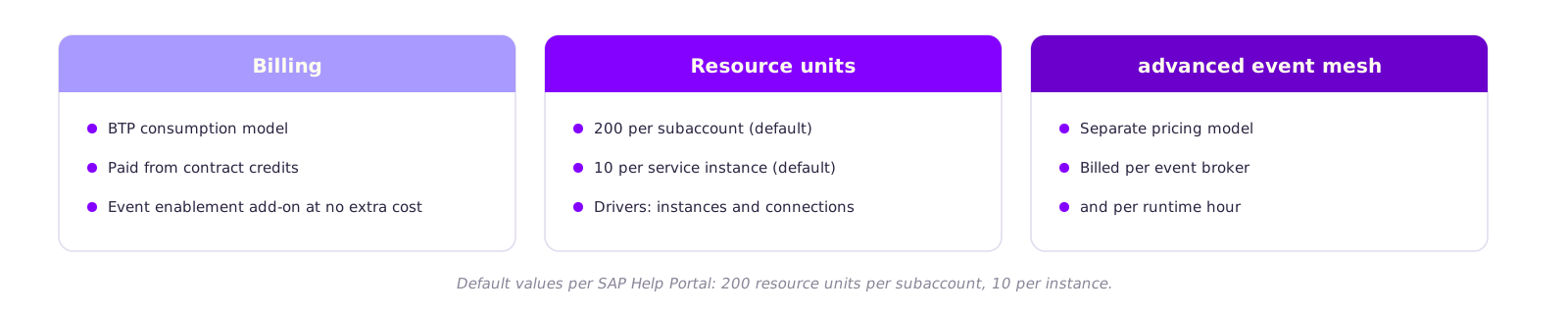
On the S/4HANA side, Enterprise Event Enablement (opens in a new tab) is part of the system, and SAP has released the add-on for custom events at no additional cost to customers with a valid support contract (opens in a new tab). Advanced event mesh is in a different price class: it is billed per event broker and runtime hour (SAP Discovery Center (opens in a new tab)).
For reliable numbers, use the estimator in the SAP Discovery Center (opens in a new tab). Base the calculation on the number of instances and connections, not on message volume.
How much effort Event Mesh involves
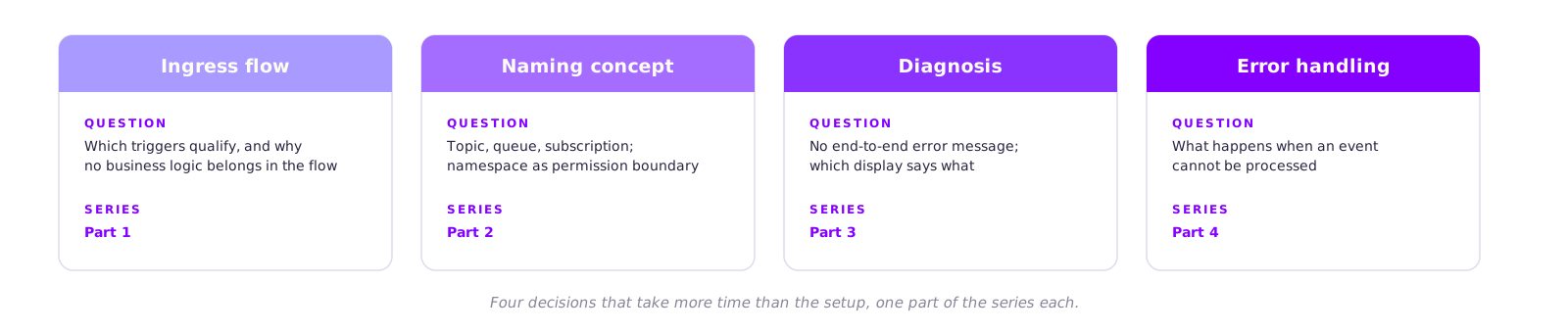
Setting up the service takes four steps: assign the entitlement, assign role collections, create the service instance, create a queue. The decisions about how events are processed take more time. They are the subject of the individual parts of the series, in the order in which an integration is built:
- Ingress flow (part 1): how a flow accepts an event and puts it into the queue, which triggers are suitable, and why the flow shouldn't contain business logic.
- Topics, queues and subscriptions (part 2): what is stored and what is only routed, in which order to create the objects, and which wildcards subscriptions support.
- Diagnosis (part 3): decoupled integrations have no end-to-end error message. Which view in the cockpit tells you what, and how to narrow down a fault.
- Error handling (part 4): what happens when an event can't be processed, and how to stop it from blocking the rest.
- S/4HANA as an event producer (part 5): how to set up Enterprise Event Enablement, and why business events only carry the key of the changed object.
- Bidirectional sync (part 6): how to keep two systems in sync in both directions without an event triggering an infinite loop.
Limits
Event Mesh is designed for the classic SAP scenario. The maximum message size (opens in a new tab) is 1 MB and the maximum throughput per subaccount is 250 KB/s. Very large messages, brokers in your own data center or a mesh spanning several clouds call for advanced event mesh.
Business events from S/4HANA aren't the whole answer either. They mostly carry the key of the changed object; your receiver still reads the actual data via OData.
Keep reading
The six parts of the series
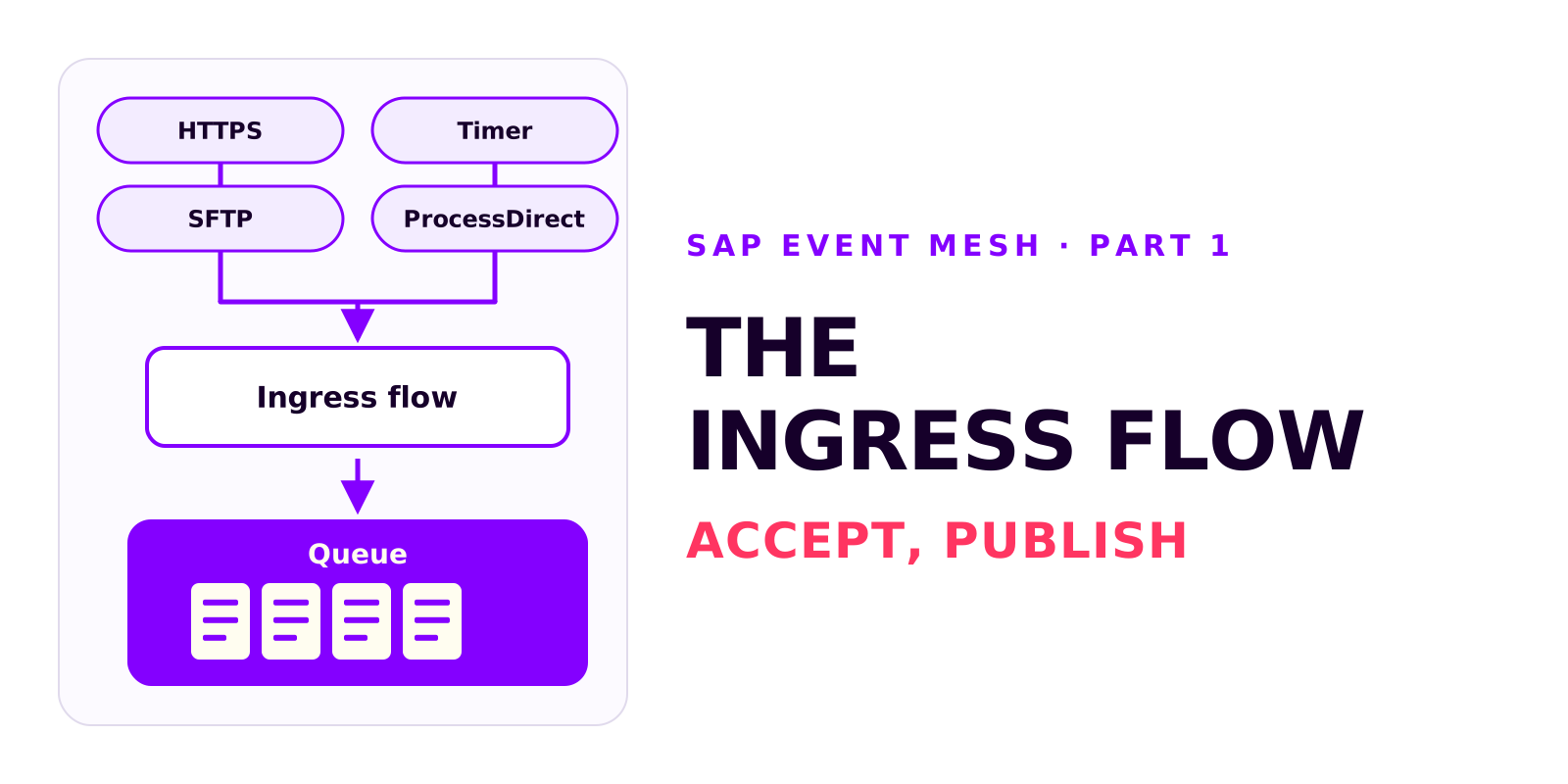
The ingress flow: from event to Event Mesh queue
Björn OstermannTopic: SAP ConsultingThe ingress flow accepts an event and publishes it, unchanged, to a queue. What it does, which sender adapter fits the source system, how to configure the AMQP receiver adapter and how to verify that events reach the queue.
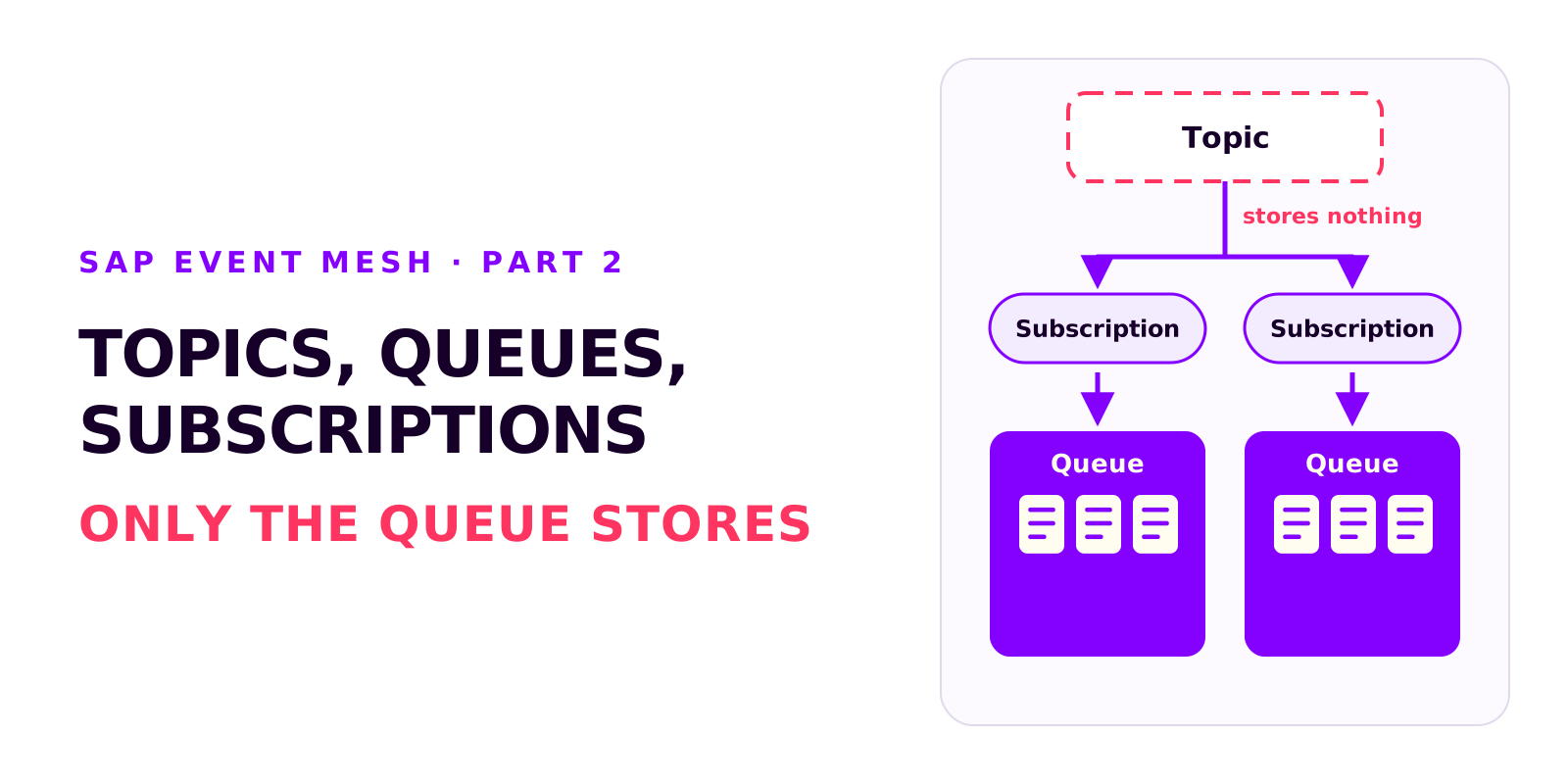
Topics, queues and subscriptions in SAP Event Mesh
Björn OstermannTopic: SAP ConsultingTopic, queue and subscription are three different objects. What each of them does, in which order to create them, how the namespace becomes part of every name and which wildcards subscriptions support.
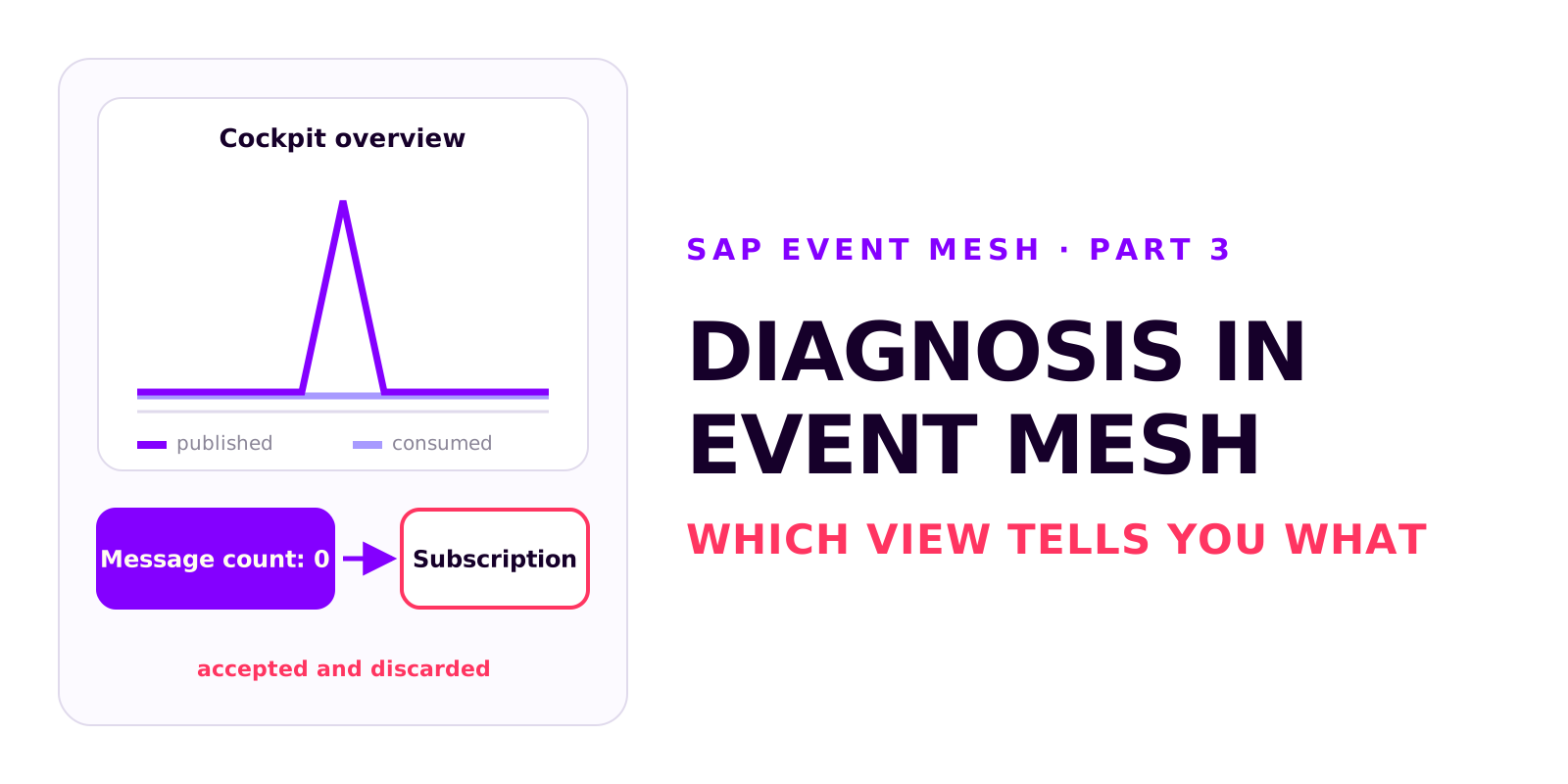
Diagnosis in SAP Event Mesh: which view tells you what
Björn OstermannTopic: SAP ConsultingA decoupled integration has no end-to-end error message. Which four views in Event Mesh and Integration Suite tell you what, how to test without a source system, and how comparing the counters tells you where to look.
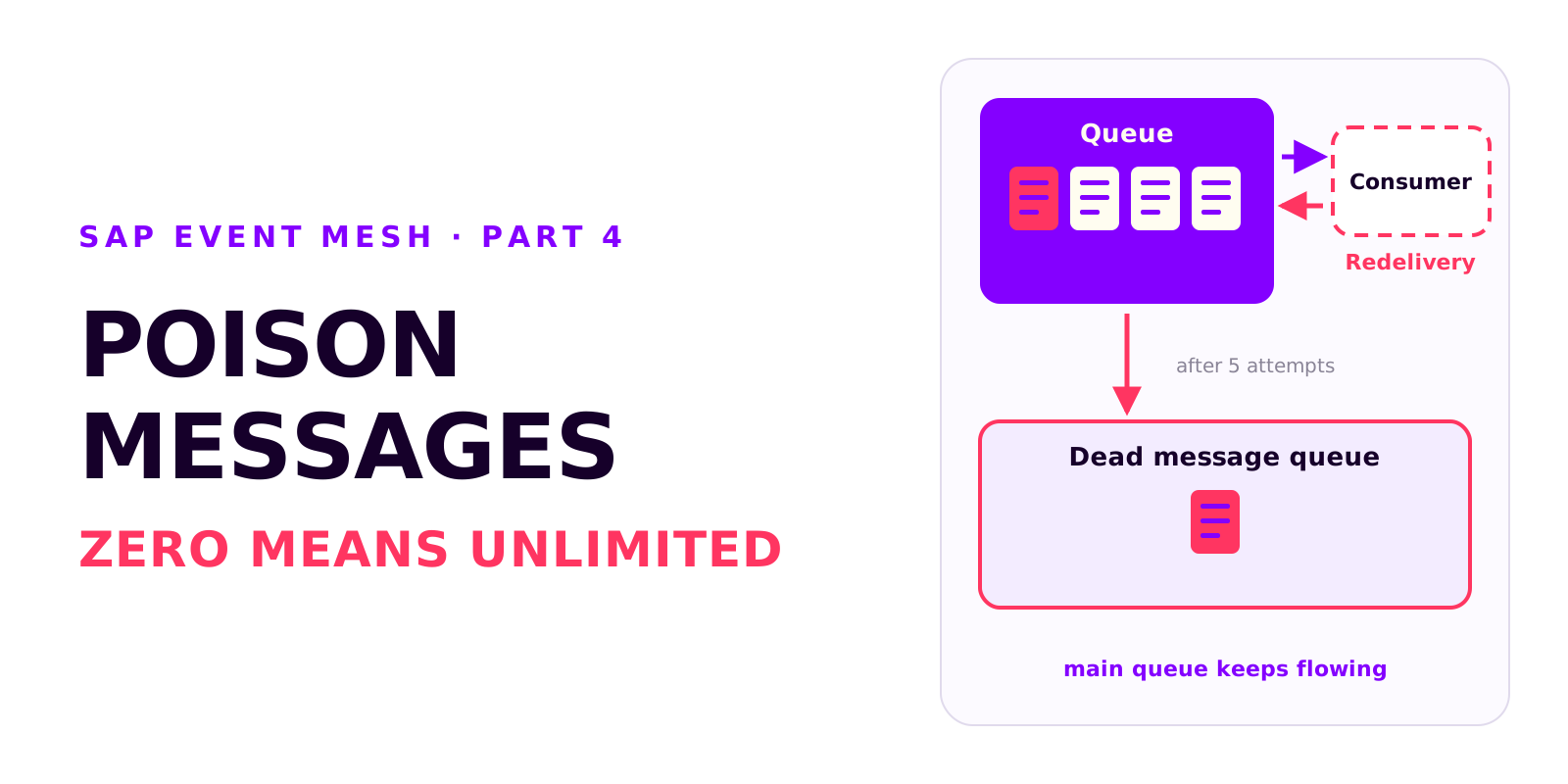
Poison messages, redelivery and the dead message queue in SAP Event Mesh
Björn OstermannTopic: SAP ConsultingA message that can't be processed is redelivered without limit and blocks the queue. Why messages fail, how redelivery and the dead message queue work together, and which settings every productive queue needs.
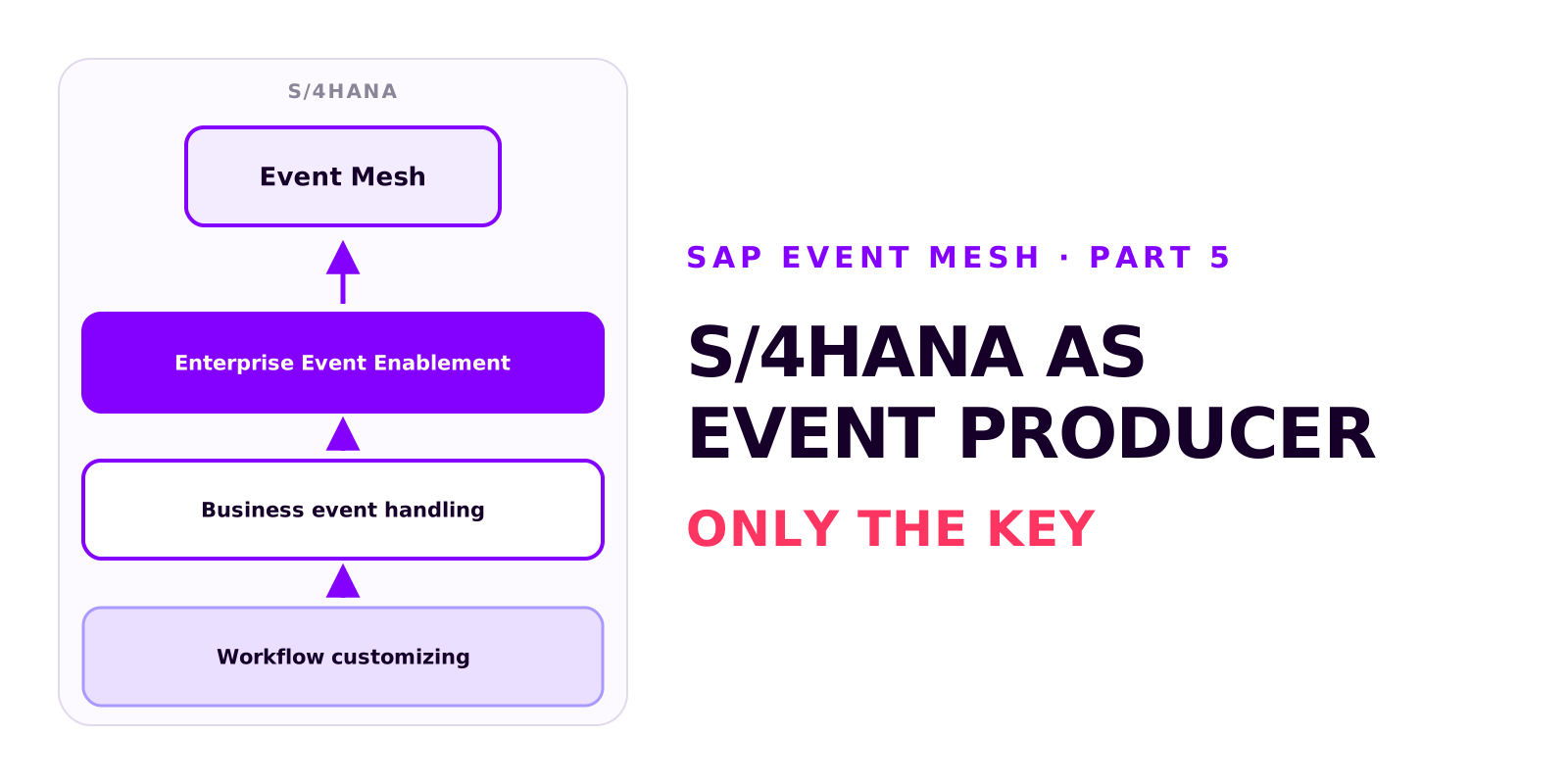
S/4HANA as an event producer: setting up Enterprise Event Enablement
Björn OstermannTopic: SAP ConsultingS/4HANA publishes events through Enterprise Event Enablement, with no custom development. Prerequisites and roles, the channel from the service key, outbound bindings, testing with a demo event and the Event Monitor, and why a business event carries only the key.
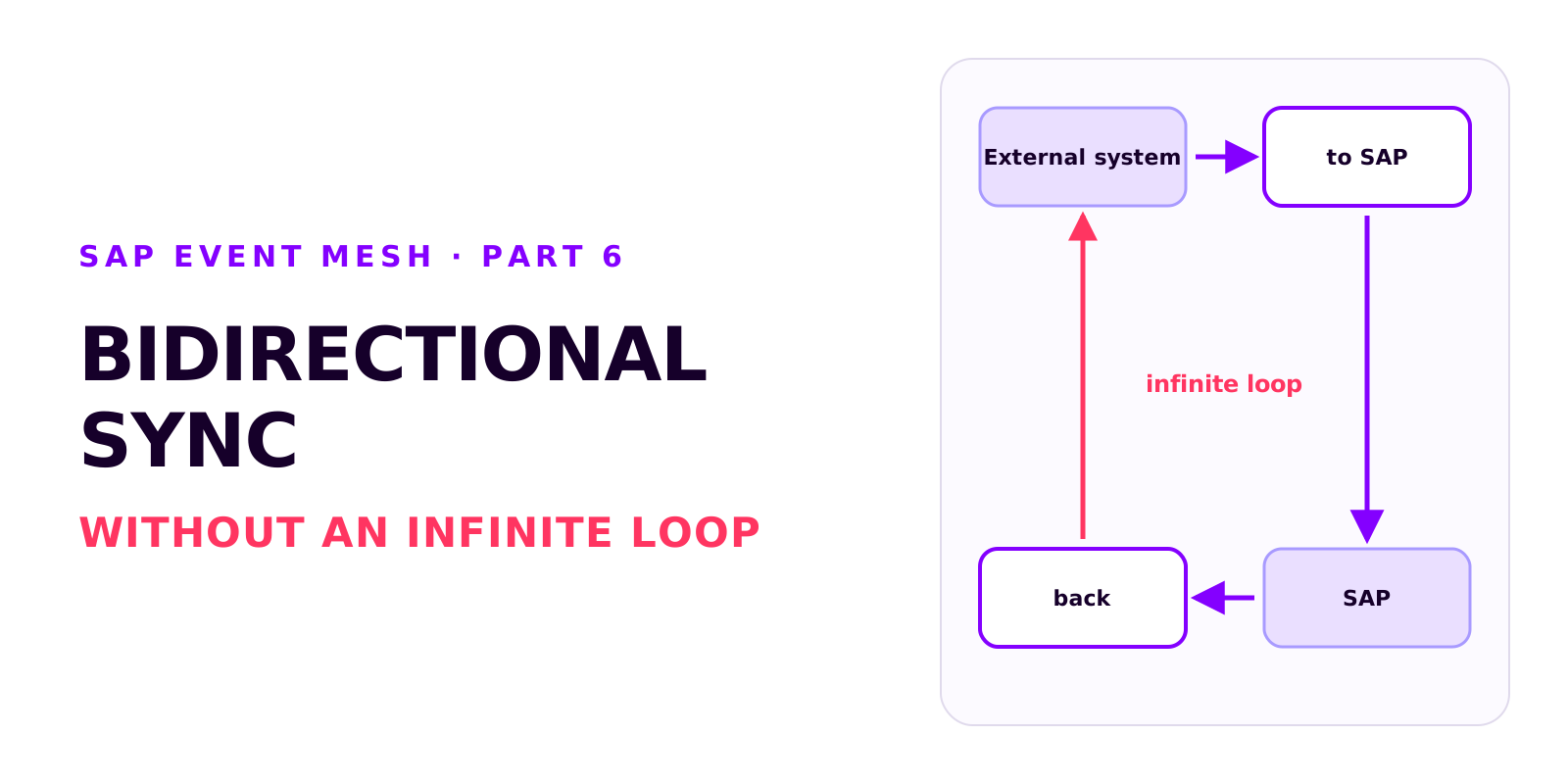
Bidirectional sync between SAP and an external system without an infinite loop
Björn OstermannTopic: SAP ConsultingTwo integrations that each work on their own can produce an infinite loop together. How it arises, how each side recognises its own writes, which field ties the records together, and why create and update mappings drift apart.
Book a call
Planning an event-driven integration?
Talk to us. We can help with setup, event processing and error handling.
- 30 minutes
- no commitment