
S/4HANA as an event producer: setting up Enterprise Event Enablement
S/4HANA publishes events through Enterprise Event Enablement, with no custom development. Prerequisites and roles, the channel from the service key, outbound bindings, testing with a demo event and the Event Monitor, and why a business event carries only the key.

Getting S/4HANA to report on its own when a business partner, an order or a product changes doesn't take an extension, a BAdI or a line of ABAP. The component that does it is Enterprise Event Enablement (opens in a new tab), which is part of S/4HANA. What you need is working event generation in the system, a channel to Event Mesh, and an explicit release of the events that are allowed to leave. This article covers prerequisites, setup, testing, and the one property of these events that shapes the architecture of the receiver.
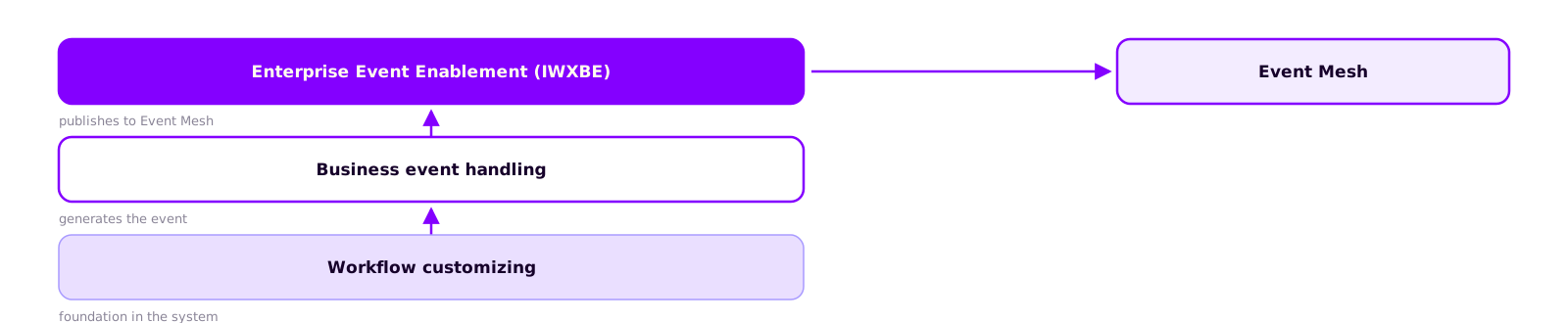
Three layers in the system
Enterprise Event Enablement, component IWXBE in the system, publishes the events. They are generated one layer down, in business event handling, which in turn builds on the system's workflow customizing. According to SAP, the customizing for Enterprise Event Enablement in an on-premise system is maintained via SPRO under SAP NetWeaver (SAP troubleshooting blog (opens in a new tab)).
This separation matters for troubleshooting: an event that was never generated can't be published, and no amount of channel configuration will change that. In S/4HANA Cloud this stack is preconfigured. In on-premise systems and in the Private Edition you should check it, especially in systems that have been upgraded across several releases.
Prerequisites
- An Event Mesh instance with a service key. According to SAP, a channel needs an RFC destination in SM59 and an OAuth 2.0 configuration, both matching the service key of the instance (SAP Help Portal (opens in a new tab)). When you create the channel from the service key, the system generates both for you.
- Roles. SAP ships role templates for administration, business use, metadata, and the daemon user that runs the channel's background processes (SAP blog (opens in a new tab)).
- Access to the transactions. Channel configuration and RFC destinations are system-wide settings. If calling
/IWXBE/CONFIGreturns "transaction doesn't exist", the component is missing; if it returns a missing authorization,SU53shows you which object.
Role templates for Enterprise Event Enablement
| Role | Purpose |
|---|---|
| SAP_IWXBE_RT_XBE_ADM | Administration and channel configuration |
| SAP_IWXBE_RT_XBE_BUSI | Business use and bindings |
| SAP_IWXBE_RT_XBE_MDT | Metadata and topic search help |
| SAP_IWXBE_RT_XBE_DAEMON | Daemon user for the channel's background processes |
Creating the channel
A channel is the connection to exactly one Event Mesh service instance. You create it in /n/IWXBE/CONFIG using the via Service Key option: give it a name and a description and paste in the complete service key (SAP tutorial (opens in a new tab)). The system generates the RFC destination and the OAuth configuration from it.
Then open the generated RFC destination in SM59 and check that the port is in the port field. If it has ended up in the host URL instead, the connection check fails. Activate the channel and run Check Connection; if the system reports that not all of the channel's background jobs are running, SAP's advice is to deactivate and reactivate it (SAP troubleshooting blog (opens in a new tab)).

From service key to published event
All steps run in the S/4HANA system; the service key comes from the BTP cockpit.
- Create channel
In /n/IWXBE/CONFIG choose via Service Key, enter a name and description, paste the complete service key and save.
- Activate channel
Check in SM59 that the port is in the port field. Then activate the channel and run Check Connection; if background jobs are missing, deactivate and reactivate.
- Release topics
Under Outbound Bindings or in /n/IWXBE/OUTBOUND_CFG, release the topics the system should publish.
- Create queue
In the Event Mesh cockpit, create a queue and subscribe it to the released topic so the event has somewhere to go.
Releasing events with outbound bindings
An active channel with a passing connection check still sends nothing. According to SAP, maintaining an outbound binding is the step that actually lets an S/4HANA system publish events (SAP Help Portal (opens in a new tab)). You maintain bindings under Outbound Bindings in the channel configuration or directly in /n/IWXBE/OUTBOUND_CFG; the search help lists every topic the system can publish.
Topic names follow a fixed pattern, for example sap/s4/beh/businesspartner/v1/BusinessPartner/Created/v1 (SAP tutorial (opens in a new tab)). Object, version and event type can be read straight off the name, which makes subscribing with wildcards easy. An overview of the available events, with sample payloads, is in the SAP Business Accelerator Hub (opens in a new tab) under Events.
We recommend releasing only the events a receiver actually needs. Every binding generates permanent load, and adding a binding later takes a few minutes.

Verifying that events arrive
The first test needs no business data: trigger a demo event with /IWXBE/EVENT_DEMO. If it shows up in your queue, the chain from the component to the subscription works. Only then change a real object, for example a business partner in BP. If the demo event arrives and the real one doesn't, the cause is in the binding or in event generation; the connection is fine.
The Event Monitor (/n/IWXBE/EVENT_MONITOR) lists every event with its status, and the status tells you where to look:
- The event isn't listed. It was never generated. Look in business event handling or workflow customizing.
- The event is open. It was generated but not sent. Check
/n/IWXBE/ERROR_LOGand the channel's background jobs inSMDAEMON. - The event is confirmed. S/4HANA has published it. From here on, the diagnosis in part 3 applies: compare the counters, check the subscription and the namespace.

A business event carries only the key
The events are published in the CloudEvents format, a vendor-neutral standard for event messages. The payload consists of the key of the changed object plus metadata: the receiver learns that business partner 1000123 has changed, not what has changed.
So the receiver still needs read access to the S/4HANA system via OData. A business event replaces the polling interval with a notification; you still read, but only when something has actually changed. A receiver that never calls back into the system isn't possible with standard events. That is what the add-on for custom events (opens in a new tab) is for: it generates data events that carry a payload.
We also recommend keeping development, test and production in separate Event Mesh namespaces rather than filtering by source system in the receiver.

Keep reading
Related articles
SAP Event Mesh on BTP: requirements, cost and the most common mistakes
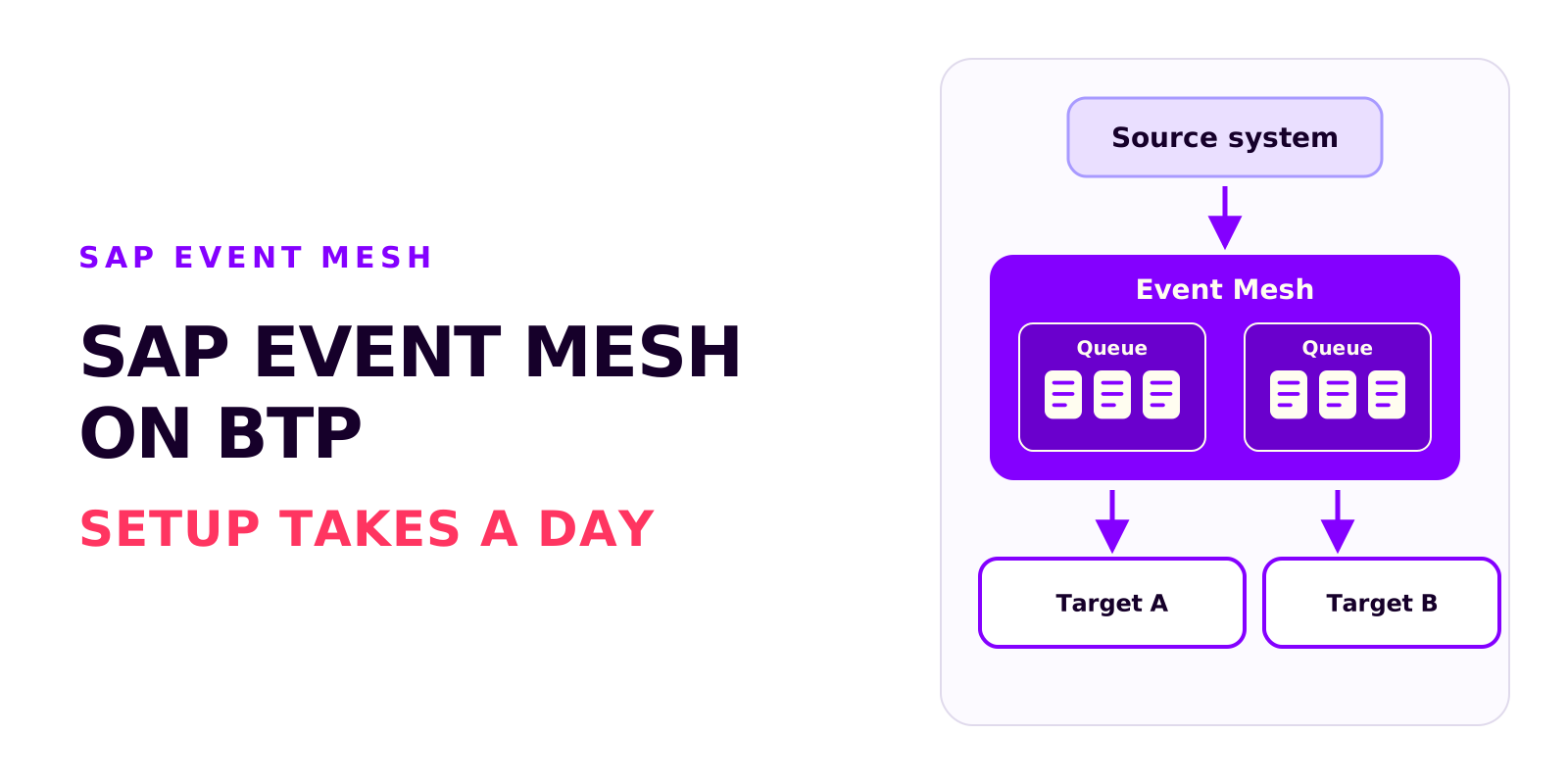
Björn OstermannTopic: SAP ConsultingSetting up Event Mesh takes a day. The work goes into entitlements, role collections and event processing. What the service does, what you need to run it and what it costs.
Bidirectional sync between SAP and an external system without an infinite loop
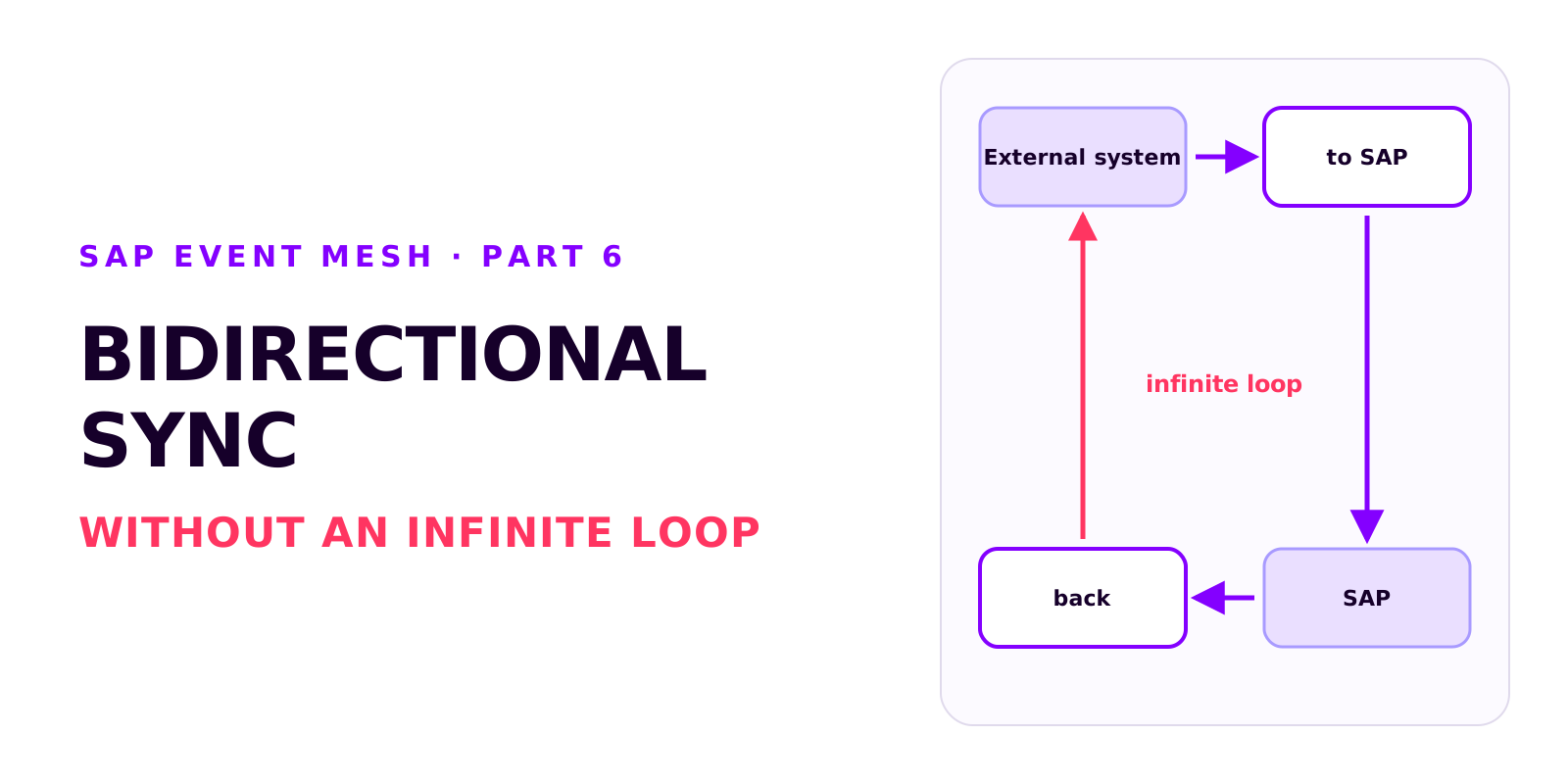
Björn OstermannTopic: SAP ConsultingTwo integrations that each work on their own can produce an infinite loop together. How it arises, how each side recognises its own writes, which field ties the records together, and why create and update mappings drift apart.
Poison messages, redelivery and the dead message queue in SAP Event Mesh
Björn OstermannTopic: SAP ConsultingA message that can't be processed is redelivered without limit and blocks the queue. Why messages fail, how redelivery and the dead message queue work together, and which settings every productive queue needs.
Book a call
Planning an event-driven integration?
Talk to us. We can help with setup, event processing and error handling.
- 30 minutes
- no commitment