

Three supply chain skills in the ORAI Agent: late deliveries, reorder points, material availability
Chasing overdue purchase orders, checking reorder points, confirming material for a production order: three tasks that come back every week. We built a skill for each and ran them against a real SAP S/4HANA system.

Monday, just after seven. Purchasing exports the list of overdue purchase orders to Excel, and the follow-up emails begin. In MRP, someone checks which materials have dropped below their reorder point. And production asks: will the 40 valves be here on Thursday?
Three questions we run into project after project with manufacturing companies. The answers are all in SAP. Getting to them means transactions, exports and emails.
We built a skill for each of these questions. Each one reads from SAP via standard OData, calculates in a script you can check, lets the AI work only where language is needed, and writes nothing until a person has approved it. A person built the skills in the ORAI Agent skill builder, in natural language: no programming and no workflow know-how. We tested them against an SAP S/4HANA demo system. The screenshots show real runs with sample data.
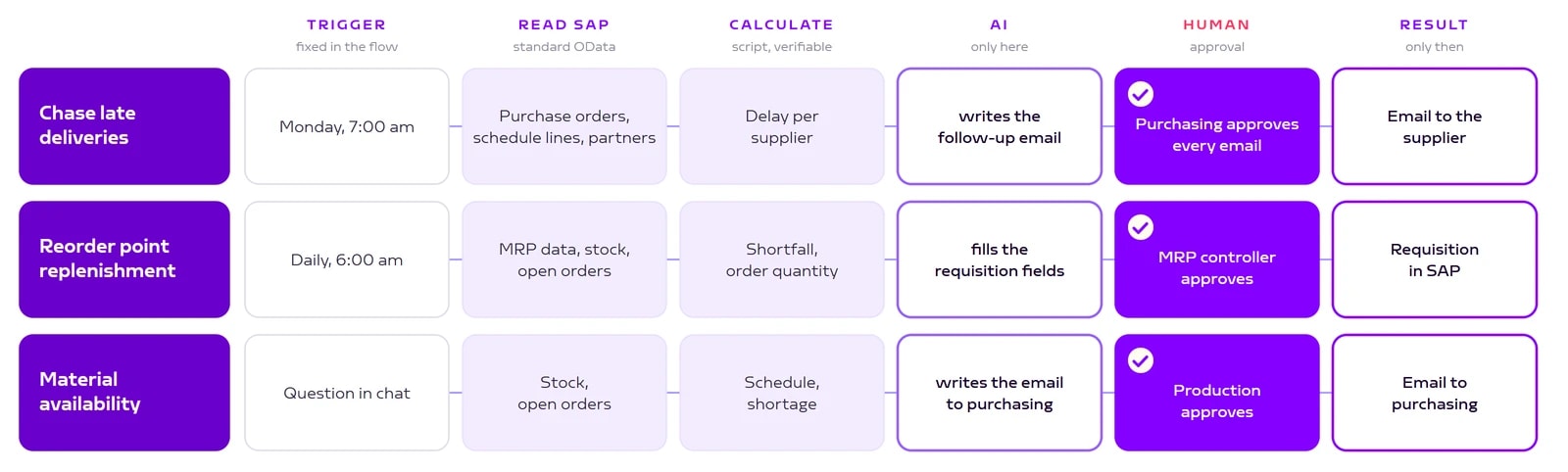
Skill 1: Chase late deliveries
The trigger is a schedule. Every Monday at 7 am, the skill reads all purchase orders of the purchasing group with their items and schedule lines. The skill builder already suggested the schedule from the words "every Monday morning". You only have to attach it.
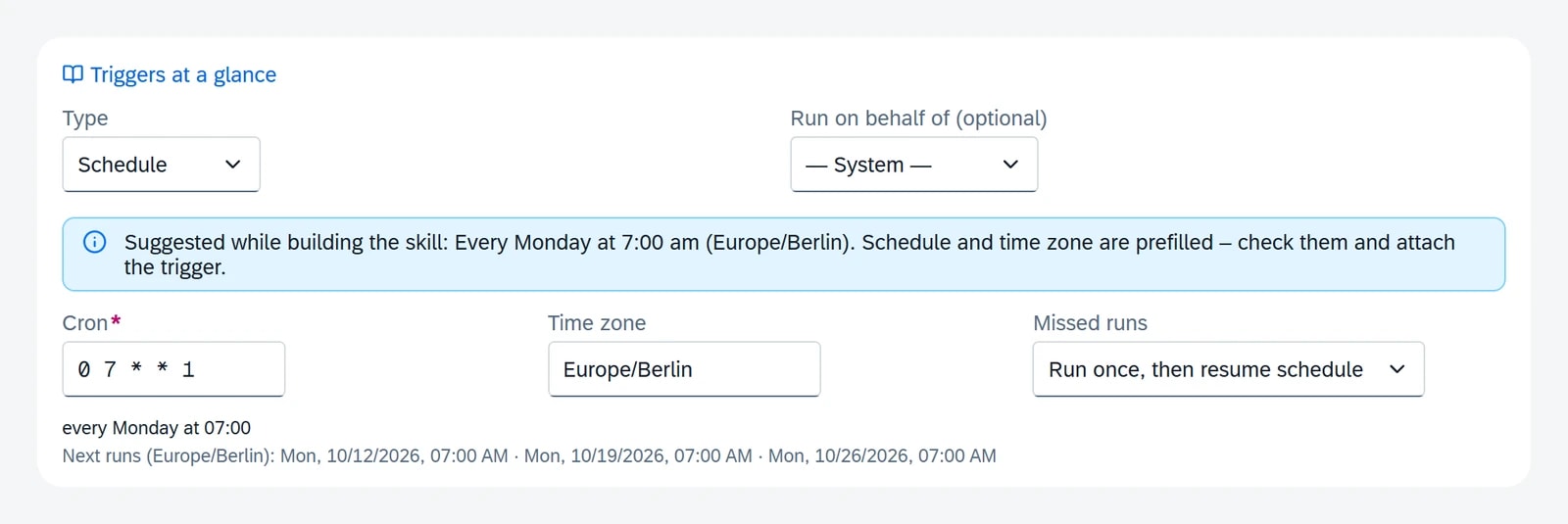
A script does the math. An item is overdue when its delivery date is before today and it has not been fully delivered. The script calculates the days of delay and groups the items by supplier. The skill then reads the email addresses from the business partners.
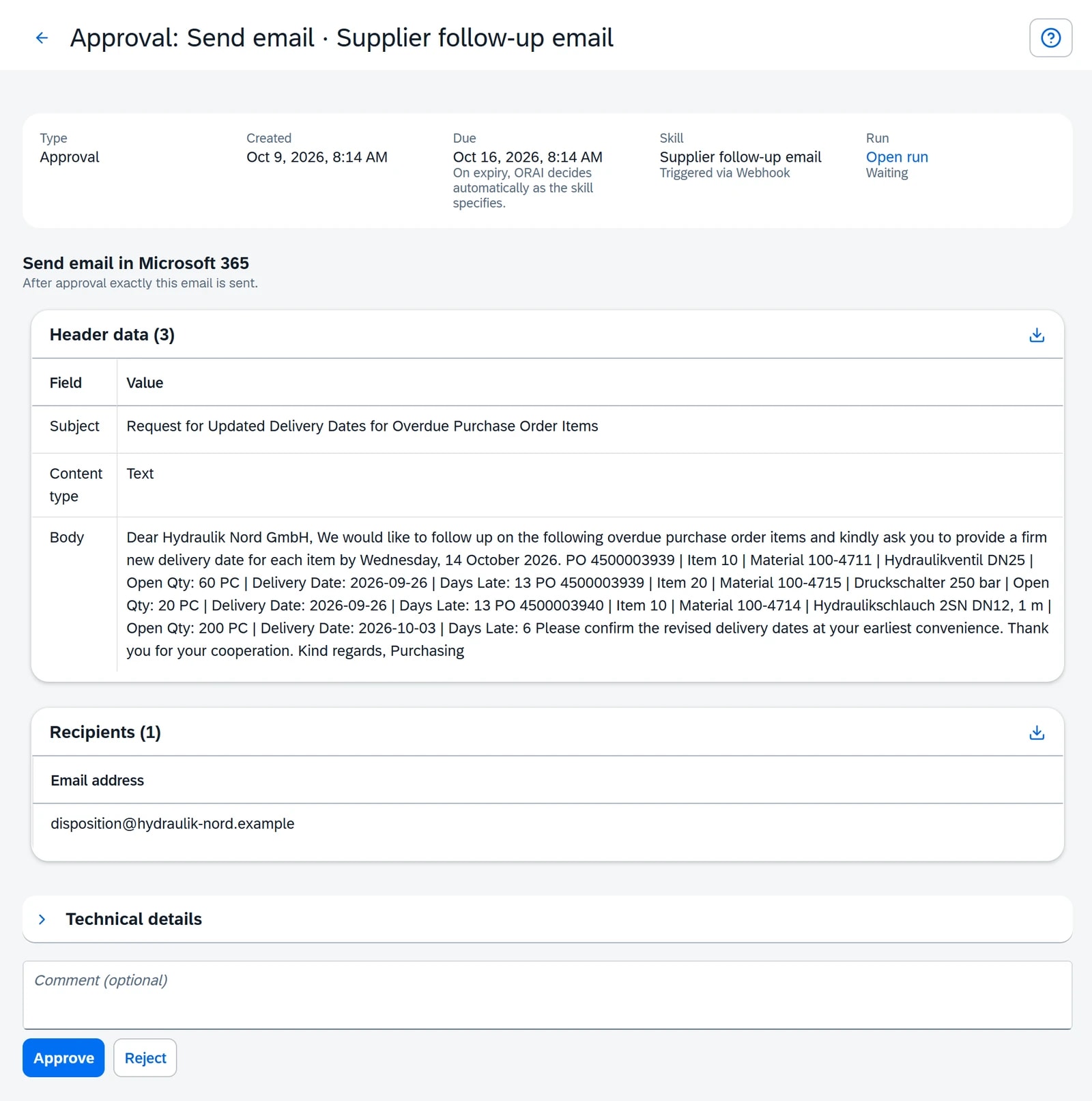
The AI writes, purchasing decides. For each supplier, the skill calls a second, small skill: the AI drafts a polite follow-up email listing every overdue item and asking for a firm new delivery date. Each email lands in the purchasing inbox. The approval card shows exactly the email that will go out, with recipient, subject and text.

In the test run, the skill found five overdue items at three suppliers, between four and thirteen days late. That made three emails, one per supplier.
Skill 2: Reorder point replenishment
Every morning at 6 am, the skill checks every material of the purchasing group that has a reorder point. It reads the MRP data, unrestricted stock and open purchase order quantities.
The rule lives in the script, not in a prompt. If stock plus open order quantity is below the reorder point, the skill proposes an order quantity: the fixed lot size if one is maintained, otherwise the quantity up to reorder point plus safety stock. The delivery date is today plus the planned delivery time. A condition in the flow makes sure a purchase requisition is only created when there is actually something to reorder.
One requisition, all items, one approval. The skill creates the purchase requisition in a single call with all items. Before that, the MRP controller sees the approval card with SAP field labels: short text, material, quantity, purchasing group, plant, delivery date. The AI does no math here. The numbers come from the script; the AI only maps them to the requisition fields.
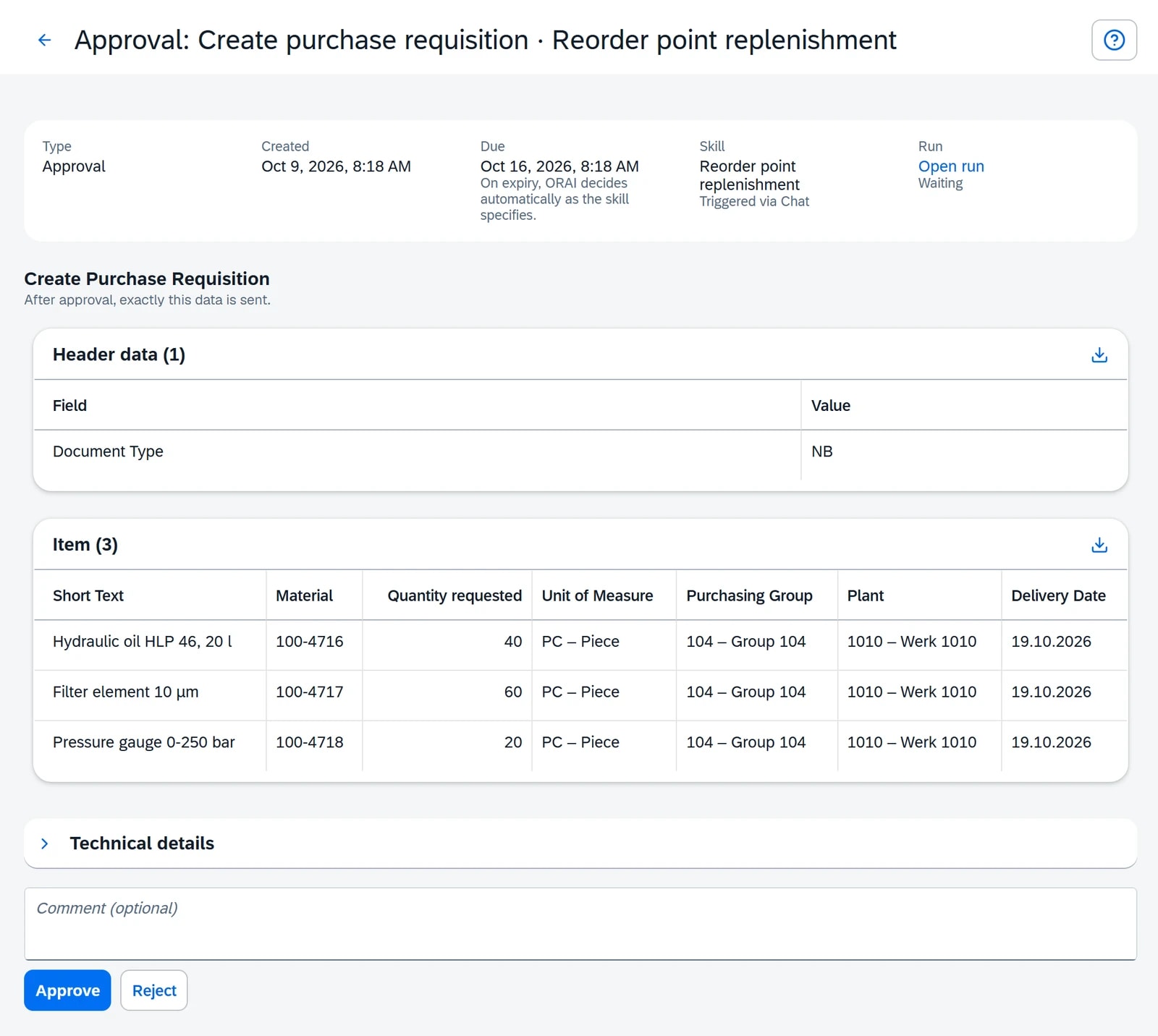
In the test run, the skill checked eight materials. Three were below their reorder point with no open order: hydraulic oil, filter elements and pressure gauges. After approval, the requisition with three items was in SAP.
Skill 3: Check material availability
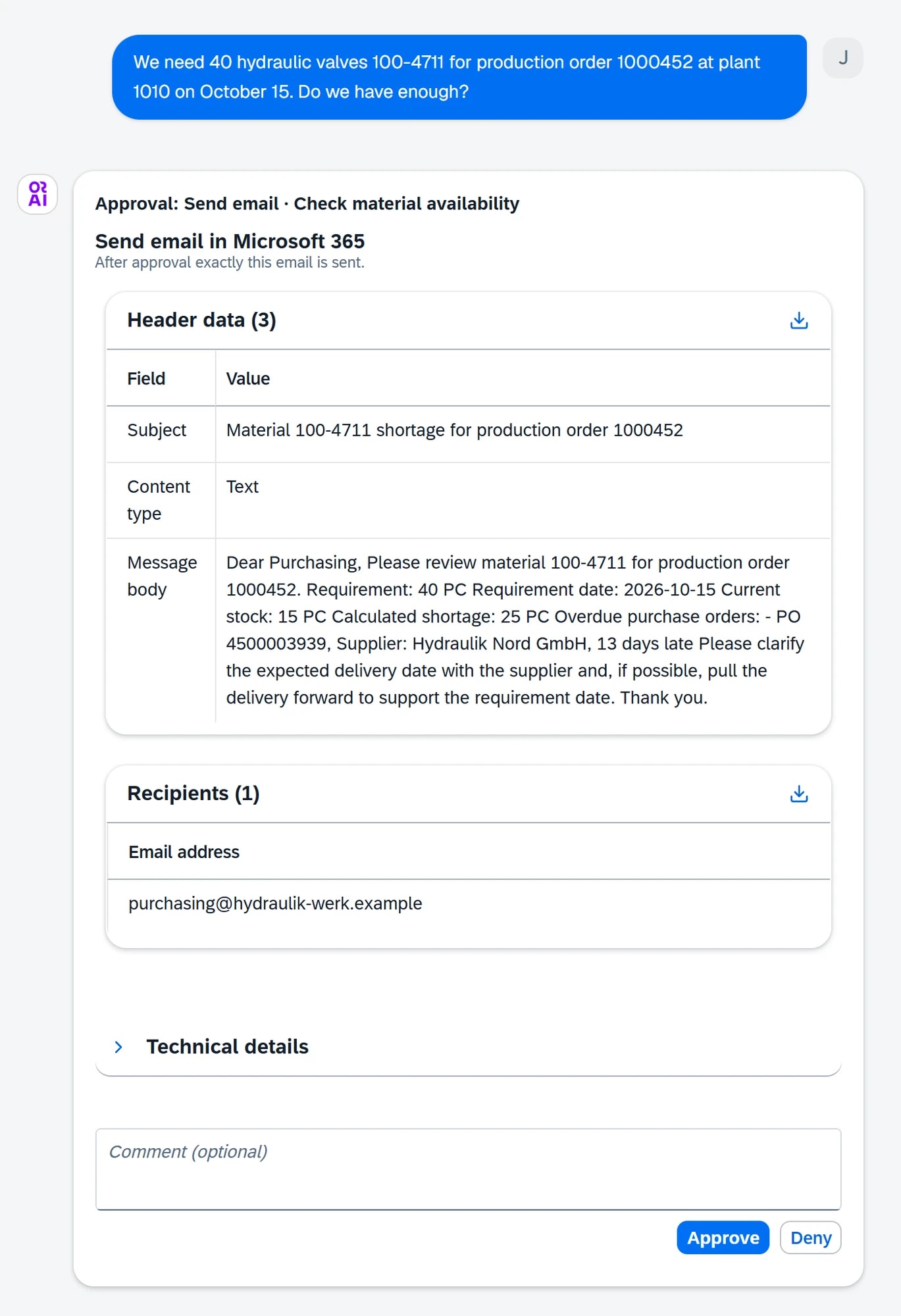
This skill does not run on a schedule. It runs on request. Production asks the supply chain assistant in chat: "We need 40 hydraulic valves 100-4711 for production order 1000452 at plant 1010 on October 15. Do we have enough?"
The skill separates on-time from overdue supply. It reads stock and open purchase orders and classifies each delivery date: on time before the requirement date, overdue, or only after the requirement date. Overdue orders do not count as supply, because you cannot rely on them.
The result in the test: 15 in stock, 40 needed, 25 short. The only order that could have closed the gap is thirteen days overdue. The follow-up order arrives after the requirement date. So the skill drafts an email to purchasing with the production order, the shortage and the overdue order including the supplier. Approval happens right in the chat.
One order, three perspectives
It gets interesting when you put the three skills side by side. The same overdue purchase order shows up in all three, and each one treats it differently.
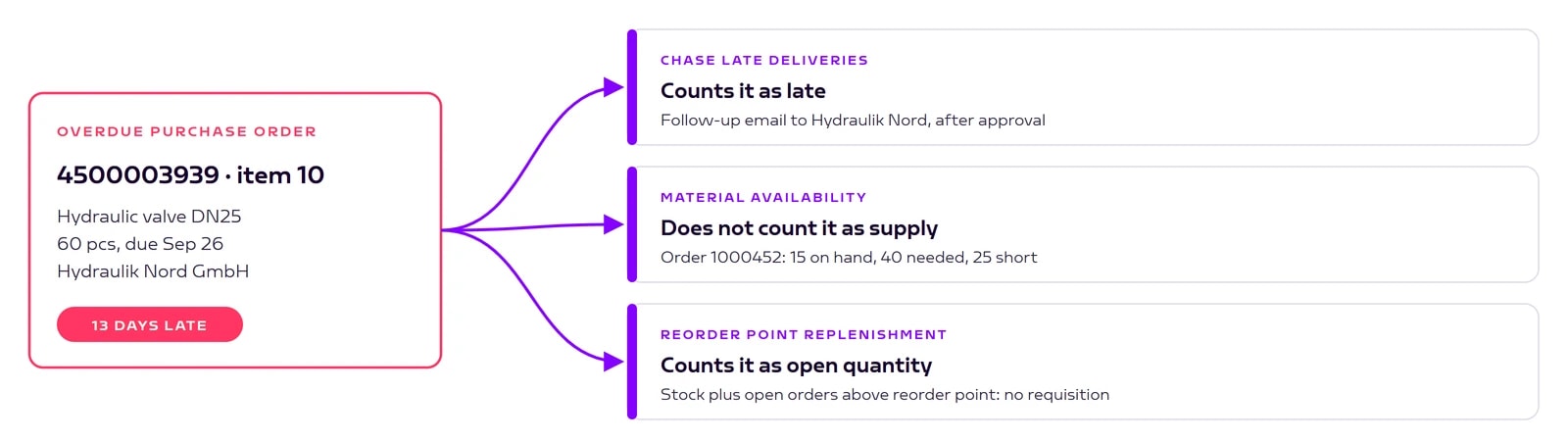
The late delivery skill counts it as late and follows up with the supplier. The availability check does not count it as supply and reports a shortage. The reorder point check counts it as open quantity and therefore creates no new requisition, just like classic reorder point planning does.
None of these rules is wrong. They answer different questions. What matters is that each rule is visible in the skill and does not disappear into a prompt. Anyone who opens the flow can see why the material counts as covered and is still missing on the shop floor.
How the skills were built
A person built the three skills, not a developer. Each skill started with one paragraph in the skill builder, the way you would explain the task to a new colleague: "Every Monday morning: check all open purchase orders of purchasing group 104 for late deliveries." From that, the AI plans the steps, asks about gaps and builds the flow. No code, no manual field mapping, no knowledge of workflow tools.
Then comes the test run with real data. After each step you see what it returned, and every writing step waits for confirmation. If something should change, you write it in one sentence on the step and the builder adapts the flow. Once a run looks the way it should, you save it as an example in the skill. Future runs follow the same structure.
What SAP already offers
SAP has its own tools for all three topics. The Fiori app "Monitor Purchase Order Items" lists overdue purchase order items. The MRP run creates purchase requisitions (opens in a new tab), including for materials with a reorder point. And "Manage Material Coverage" shows where a material is running short.
The skills start where the list in SAP ends and the work continues by email or phone. Purchasing gets the finished follow-up email instead of an Excel list, production gets an answer in chat instead of a callback. And a purchase requisition only lands in SAP once the MRP controller has seen it.
One prerequisite applies to all three: well-maintained master data. Without a reorder point in the material master there is nothing to check, without an email address on the supplier there is no follow-up email.
Conclusion
None of the three skills replaces an MRP controller or a buyer. They take away the Monday list, the Excel round and the email that starts the same way every time. The decision stays with a person, but now it sits at a fixed point in the flow and can be traced afterwards.
If you want to start, take the list that lands in Excel every Monday. That is your first skill.
Book a call
Build a supply chain skill on your SAP
In 30 minutes, we build a skill on one of your processes live, run it against your data in a test run and show where the approval should sit for you.
- 30 minutes
- on your own process
- no obligation
Keep reading
Related articles
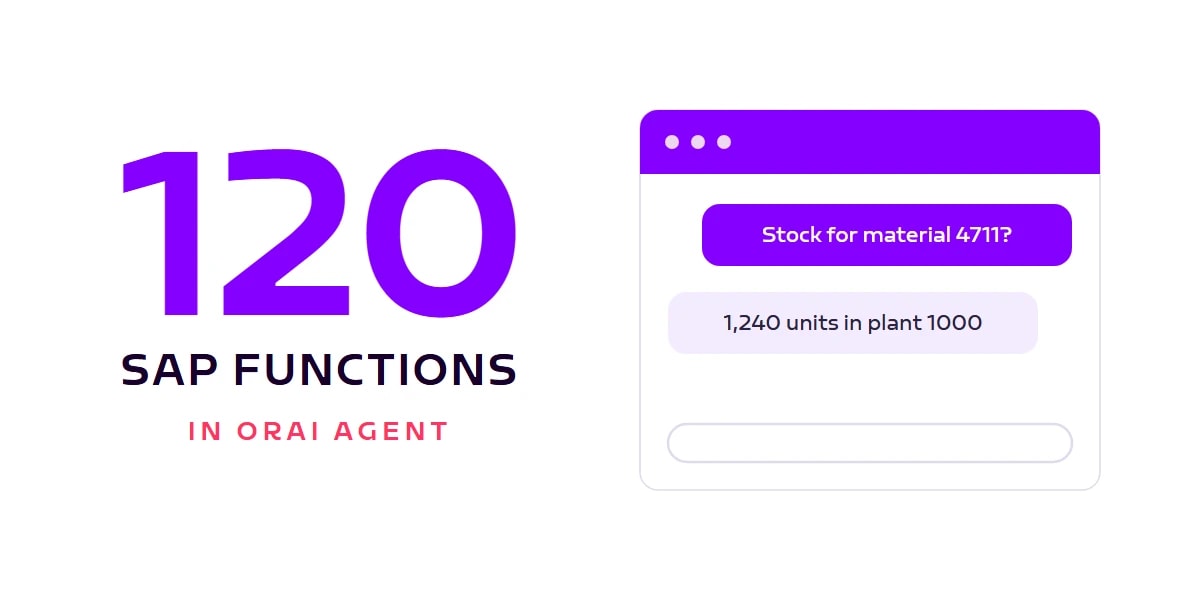
100+ SAP functions in ORAI Agent: from sales quote to supplier invoice
Jan OstermannTopic: ORAI AgentThe ORAI Agent SAP catalog now covers 120 functions across 12 SAP standard APIs: order-to-cash and procure-to-pay end to end, plus material master, stock, and business partners. All via standard OData, no ABAP, with your users' real permissions. And the number keeps growing.
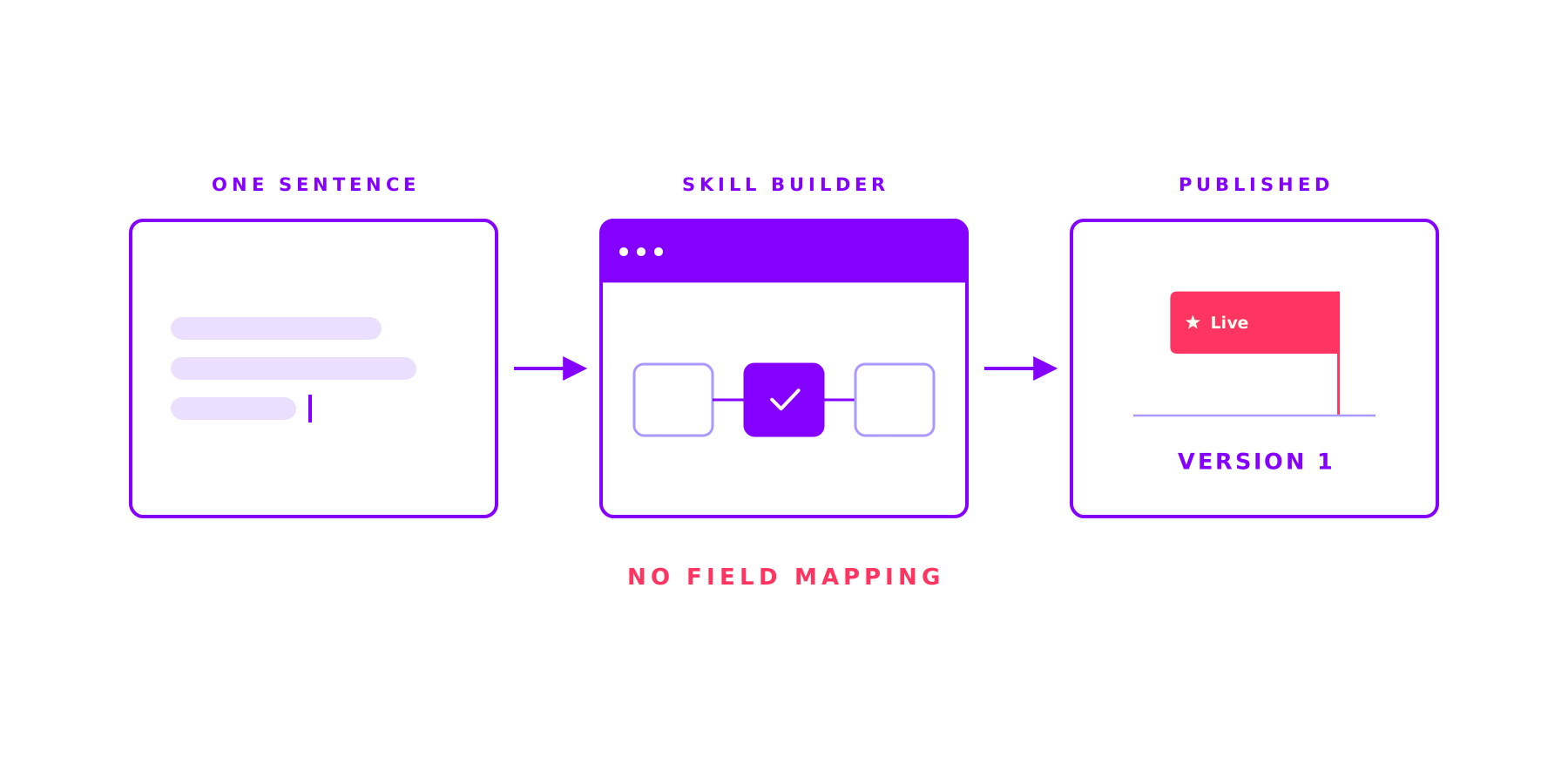
The Skill Builder in the ORAI Agent: complex work, the same right way every time
Jan OstermannTopic: ORAI AgentAsk an AI the same thing twice and get two different answers: that is where AI stalls in most companies. A Skill fixes the steps, the tools and the approvals up front and lets the AI work only where it is strong. And you build one in a single sitting.
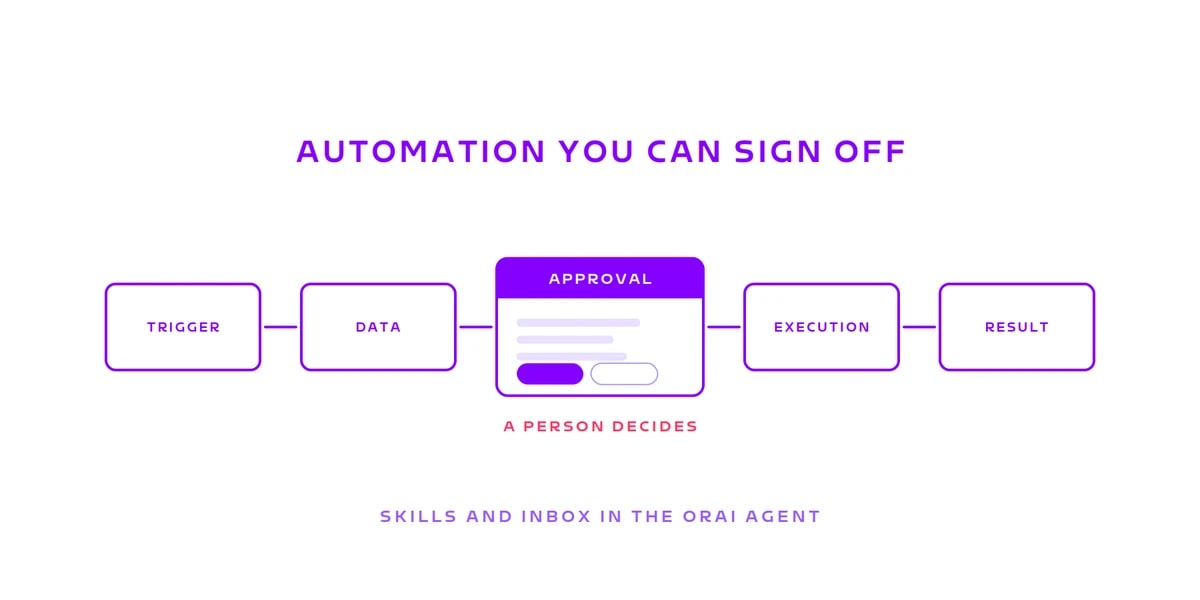
Automation you can sign off: Skills and the Inbox in the ORAI Agent
Jan OstermannTopic: ORAI AgentReading: happily. Analysing: happily. Writing: not unsupervised, please. A Skill fixes the sequence before the first run starts, the Inbox stops it where someone has to answer for it. Why that combination carries the business case.