
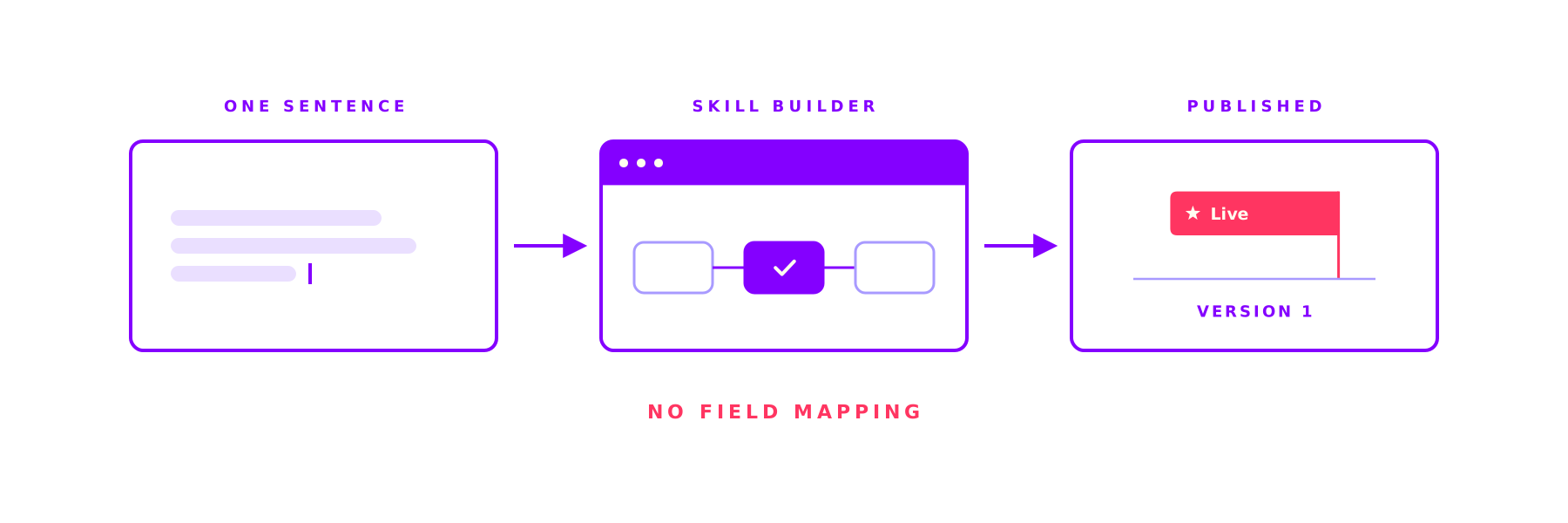
The Skill Builder in the ORAI Agent: complex work, the same right way every time
Ask an AI the same thing twice and get two different answers: that is where AI stalls in most companies. A Skill fixes the steps, the tools and the approvals up front and lets the AI work only where it is strong. And you build one in a single sitting.

Give an AI the same task twice. Do you get the same thing back twice?
For a one-off question that does not matter. For 200 invoices a week it does. That is where AI in companies usually stops at reading. Not because it cannot do more, but because nobody can predict what it will do on the next run.
A Skill takes that freedom away. The structure is fixed before the first run starts: which steps, which tools, in what order, at which point a person approves. The AI still does the work, but only where it is strong. What comes out is not a result that happens to be good, it is a case that runs the same way every time and can be proven afterwards.
And you build it in plain language. Without a single field mapping.
The path is fixed, the work is not
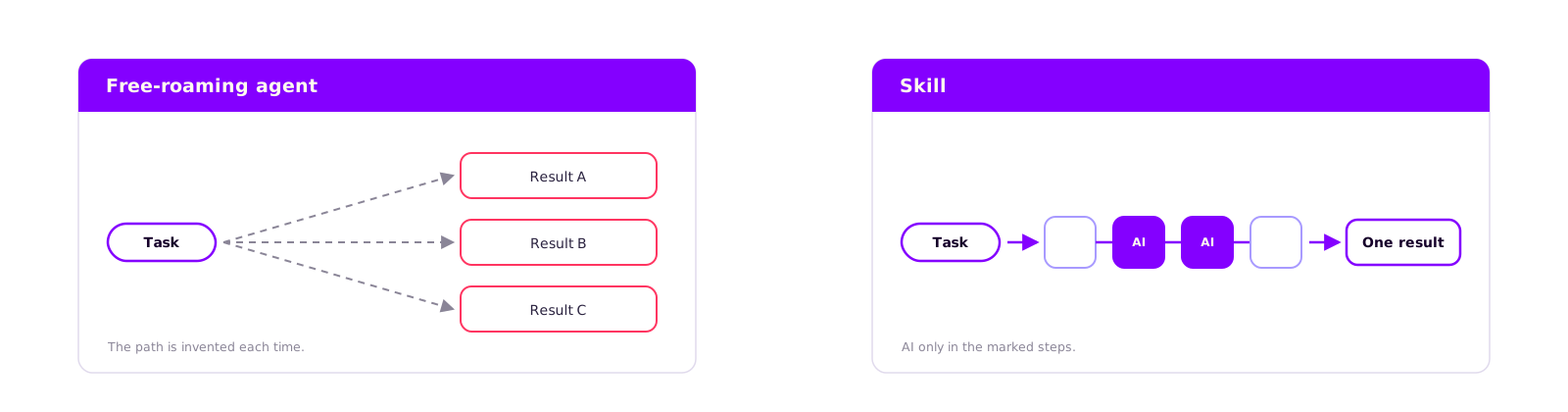
A Skill is made of individual steps: read data, an AI assessment, a branch, an approval, a posting. Those steps and every branch are defined up front and versioned. The AI cannot take a different path, skip a step, or invent one.
Inside that path it works in four places. It fills a step's inputs from the results of the previous ones. It decides conditions written in natural language. It resolves the lists a loop runs over. And where a step is explicitly an AI step, it produces the result.
That is the difference from a free-roaming agent. Those are strong when nobody knows in advance which steps are needed. For a case that runs every week, you do know.
The right tool, not just any tool
Tools do not appear out of nowhere. They come from the systems you have connected and reach the builder as a finished list: this SAP client, this call, this input schema. The AI cannot dream up an endpoint or invent a parameter that does not exist.
On top of that, only what your team is entitled to use is visible. What you are not permitted to touch, you cannot build in, and what is not built in cannot happen at runtime.
Write actions get a second safeguard. The approval is pinned to exactly the data that will go to the system, not to a rough preview. And a tool that requires approval cannot sit inside a loop, otherwise the approval on item 200 would be decoration.
Say what to do instead of wiring fields
The editor shows the process as a graph. Seven building blocks are available: tool, AI step, condition, loop, approval, input and finish. Drag, connect, delete.
What is interesting is what a step does not ask for. No mapping form, no expression language, no field pairs. A tool step holds two things: which tool, and an instruction in plain language telling it what to do. Conditions work the same way: no formula with operators, but natural language such as "Unusual if the amount is over 5,000 euros or the vendor is blocked."
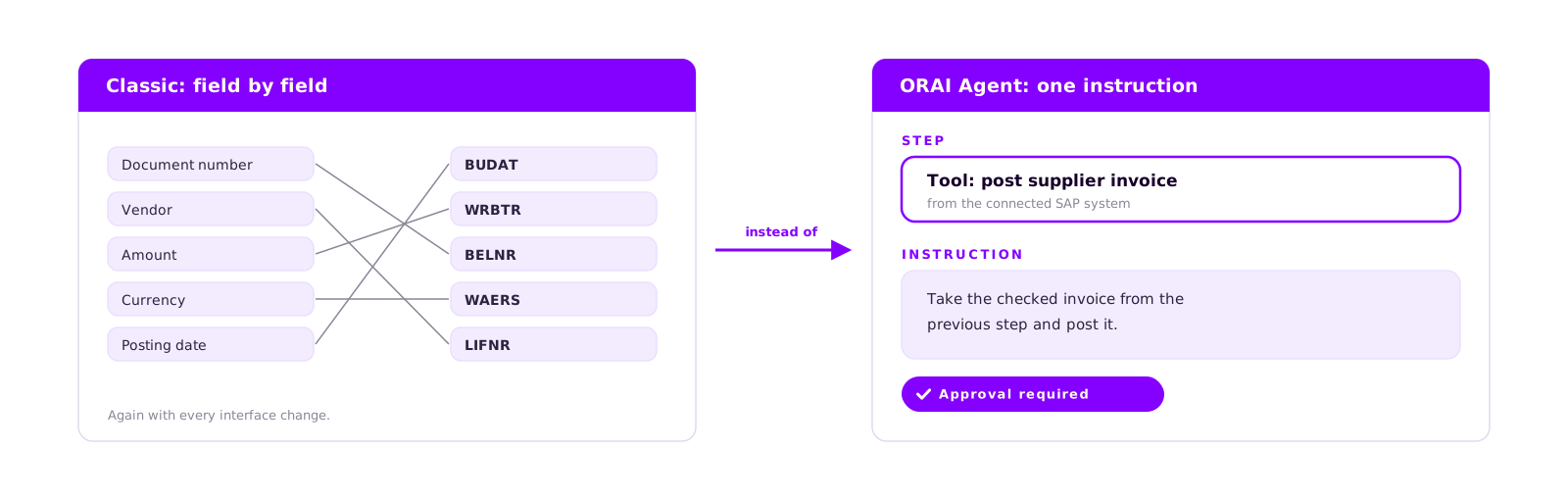
That removes the part of a workflow project that eats the most time and comes back with every interface change. The mapping onto the fields happens at runtime, against the real schema of the system.
How a Skill comes about: four stations
You start with a sentence: "Every Monday, check the open supplier invoices, send anything unusual to purchasing for approval, post the rest."
If something important is missing, the AI does not start drawing. It asks specific questions: which system, SAP Germany or France? Who approves? Should this run on a schedule? The questions come as clickable options, not as a questionnaire. Only then does the draft appear.
You refine in the same chat: "Add an approval before the posting." The graph updates with it. It works the other way round too: whatever you change in the editor, the chat knows about in your next sentence. Both routes work on the same process, there is no second version of the truth.

The trial run writes nothing
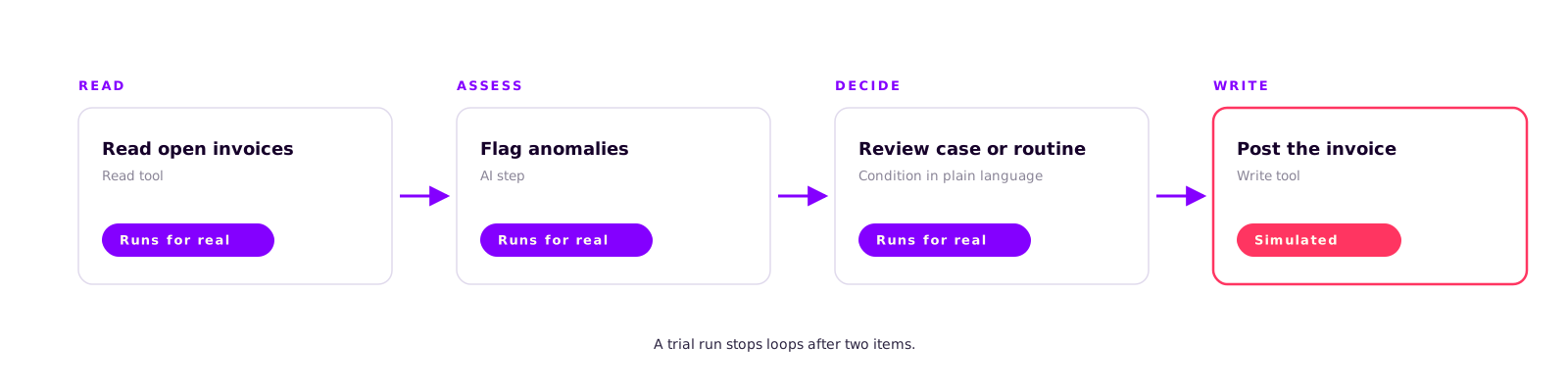
Before the first real run you hit trial run. It runs in a sandbox: read tools and AI steps run for real, so you see what comes out on actual data. Write tools are simulated. Loops stop after two items, so a test does not take ten minutes.
The result comes back step by step, with whatever each step produced. If one fails, the builder names the step and the exact input it tried. One click sends the error back into the chat and the AI corrects the draft.
Publishing: checked and locked in
A draft does not go live unchecked. Among other things, the builder asks: are all step names unique? Is there a step nobody ever reaches? Is there a reachable finish? Does every referenced tool exist, and is the team allowed to use it? Does every condition have both branches?
Publishing creates a new version. Running cases stay on the version they started on. That is the last ingredient of a repeatable result: a run started today still behaves the same tomorrow, even if someone has moved the Skill on since. Old versions stay visible, including the differences between two states.
Finally you decide what starts the Skill: a schedule, a webhook, an event, or the API. On top of that it is available to the chat agent as a tool, so a colleague can start it in a conversation. Same process, different doors.
An honest comparison: Joule Studio and Copilot Studio
Both tools are good when the use case fits. They just solve the problem differently.
SAP Joule Studio anchors your automation in SAP business context, and that is a real advantage as long as the process lives there. The skill builder has been generally available since mid-2025, the agent builder since early 2026 (opens in a new tab). A Joule Skill is a rule-based capability that calls an API action. Factor in the prerequisites: BTP entitlements, SAP Build Process Automation, Joule, SAP Cloud Identity Services and an SAP Build developer license (opens in a new tab). That is not an afternoon decision, it is a platform decision.
Microsoft Copilot Studio is strong when your world is M365 anyway. Since August 2026 it has a visual workflow designer with deterministic steps, reasoning nodes, node-by-node testing and native versioning (opens in a new tab); approvals are standard there. Two points belong in the calculation: your process data travels through the Microsoft cloud, and autonomous triggers cost credits per trigger. The further the process moves away from M365, the more connectors you end up building yourself.
Three approaches side by side
| Criterion | ORAI Agent | SAP Joule Studio | Microsoft Copilot Studio |
|---|---|---|---|
| Repeatability | fixed graph, every run pinned to its version | skill is rule-based, the agent plans for itself | deterministic steps, reasoning nodes plan for themselves |
| Building | describe in chat, review in the graph | skill builder: rule-based capability on an API action | visual workflow designer: deterministic steps plus reasoning nodes |
| Field mapping | the AI does it at runtime | parameters maintained on the skill | parameters maintained on the node |
| Prerequisites | your own environment, on-premise possible | BTP entitlements, SAP Build Process Automation, Joule, Cloud Identity Services, developer license | Microsoft 365 environment, licence, credits for autonomous triggers |
| Human approval | a step of its own, via web, Teams or API | through SAP Build Process Automation | approvals built in |
| Strongest fit | mixed landscape, self-hosted, audit pressure | processes in the SAP core with SAP business context | processes that already live in M365 |
And on our side? The ORAI Agent runs in your own environment, without an internet connection if you want it that way. It plays to its strength when the landscape is mixed and when you have to prove six months later who approved what. It is the wrong choice if you are looking for a pure SAP Fiori extension, or if a process has to work through thousands of line items in parallel: our loops run one after another.
Conclusion
The question is rarely whether an AI can solve a task. The question is whether it solves the same task the same way on the twentieth run, touches the right systems while doing it, and respects the approvals you put in place. That is what a Skill delivers, and the builder makes it something you can put together in one sitting.
If you want to try it, do not pick the biggest process. Pick the one three people currently handle three different ways. After that you will know whether the approach holds up for you.
Book a call
Build a Skill on your own process
In 30 minutes we build a Skill on one of your processes live in the editor, run it against real data in a trial run, and show what it already does without any field mapping.
- 30 minutes
- on your own process
- no commitment
Keep reading
More on ORAI Agent
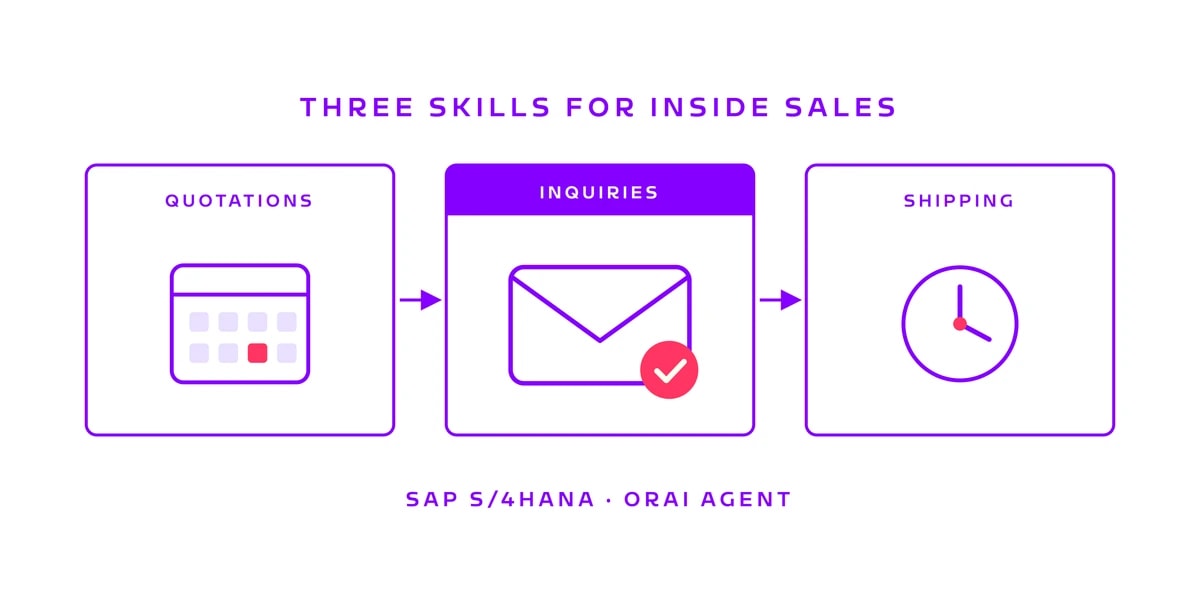
Three sales skills in the ORAI Agent: quotations, delivery inquiries, shipping backlog
Keeping an eye on expiring quotations, answering customers who ask about delivery dates, knowing the shipping backlog every morning: three inside sales tasks that are carried out every week. We built a skill for each and ran them against SAP S/4HANA.
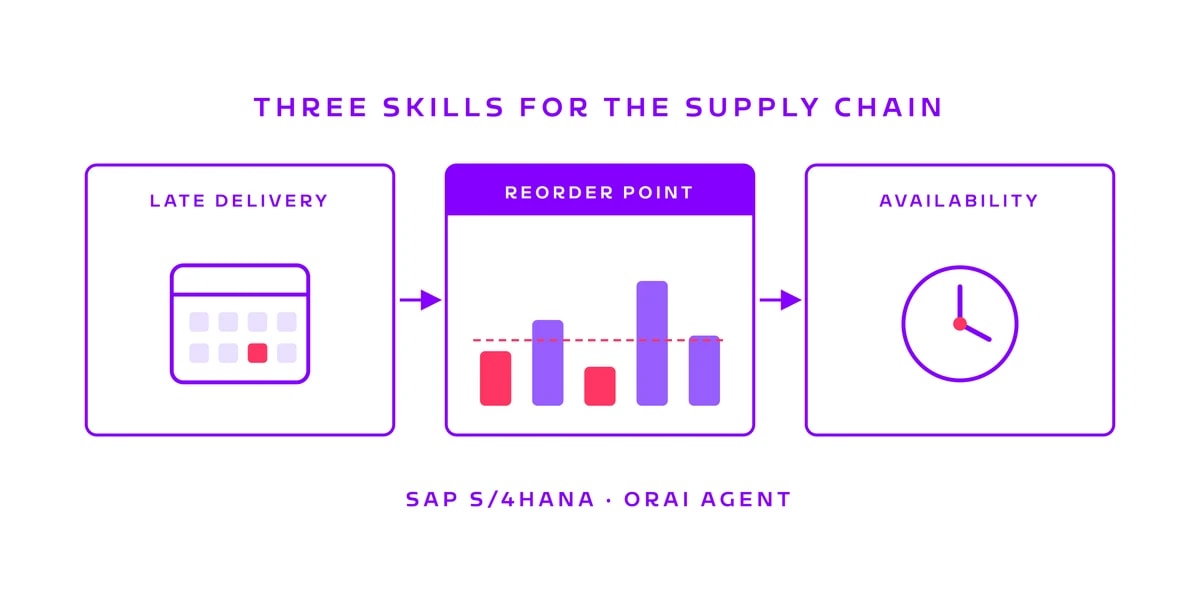
Three supply chain skills in the ORAI Agent: late deliveries, reorder points, material availability
Chasing overdue purchase orders, checking reorder points, confirming material for a production order: three tasks that come back every week. We built a skill for each and ran them against a real SAP S/4HANA system.
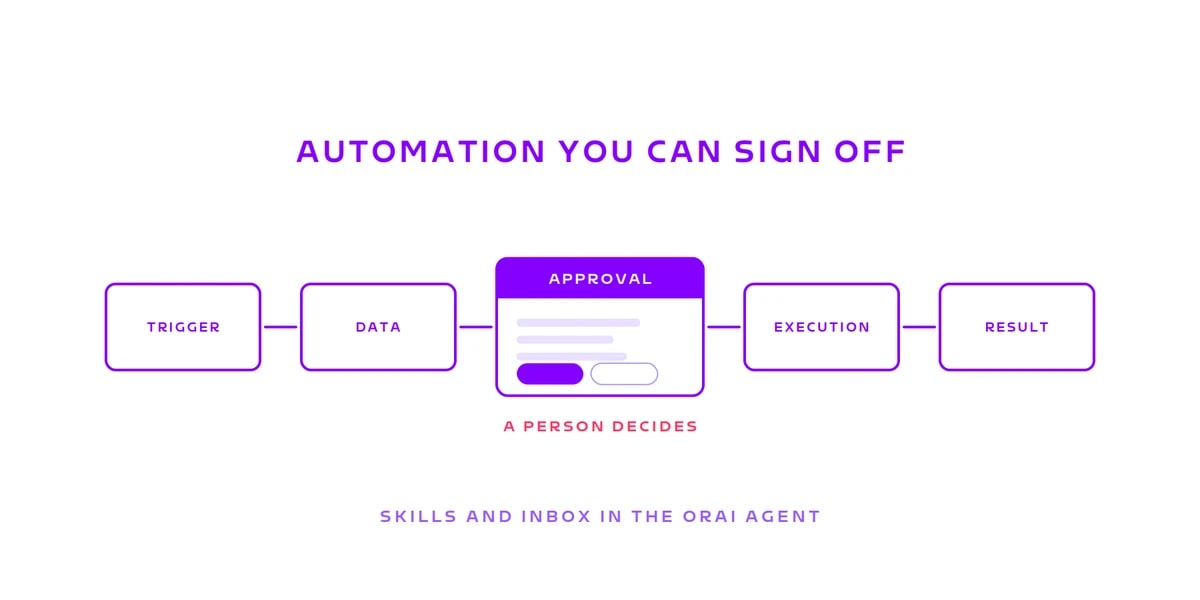
Automation you can sign off: Skills and the Inbox in the ORAI Agent
Reading: happily. Analysing: happily. Writing: not unsupervised, please. A Skill fixes the sequence before the first run starts, the Inbox stops it where someone has to answer for it. Why that combination carries the business case.