
SAPUI5 Tasks in SAP Build Process Automation: Dynamic Task UIs Beyond the One-Column Form
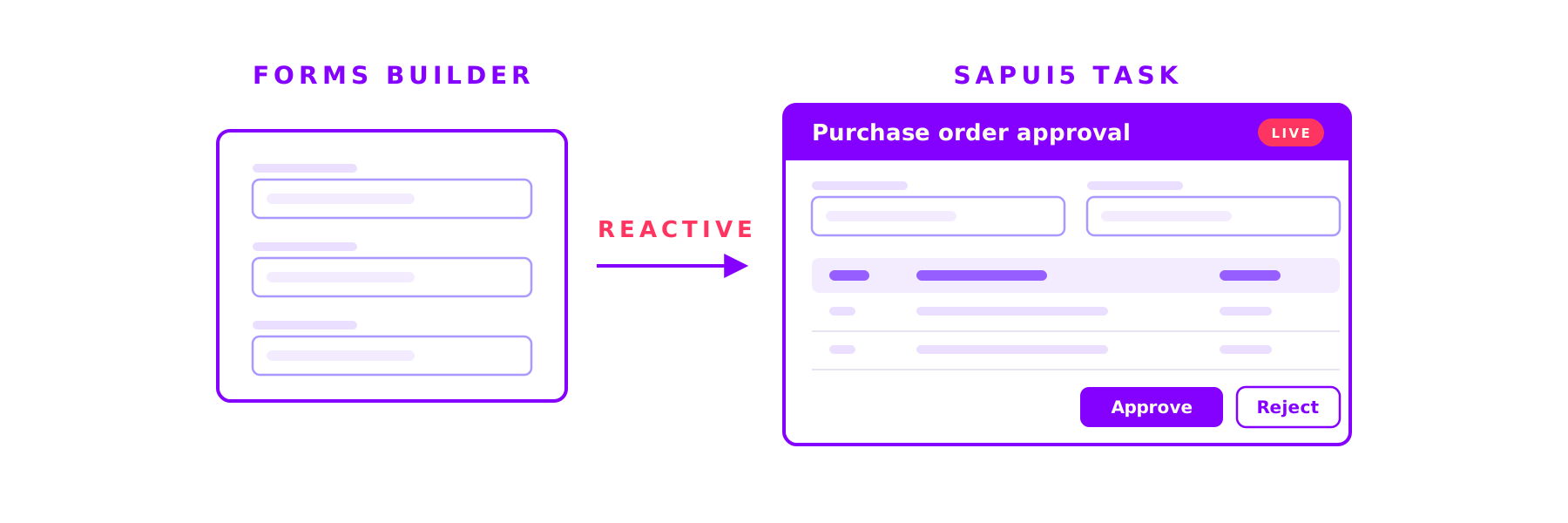
The Forms Builder in SAP Build Process Automation covers simple forms well, including tables and value helps. What it cannot do is react. SAPUI5 tasks close exactly this gap: you build the interface as your own UI5 app and import it into your process as a form. No additional product required.

What a SAPUI5 task is
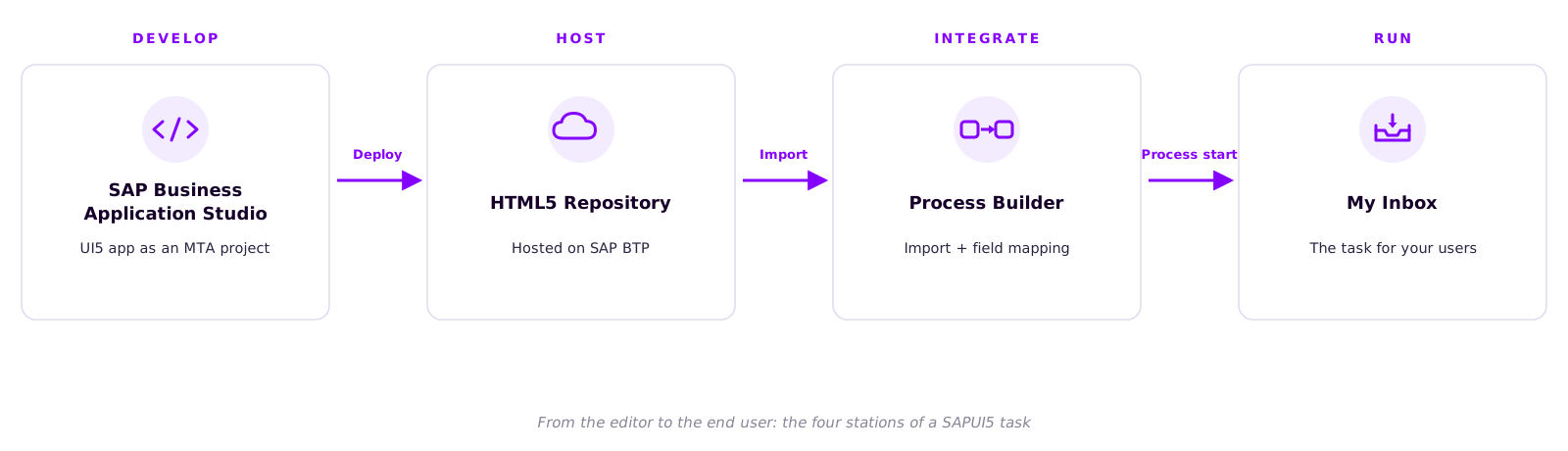
A SAPUI5 task is a user task whose interface is not built in the Forms Builder but developed as a SAPUI5 application in SAP Business Application Studio. In the Process Builder it takes the same place as a regular form: same position in the process model, same recipient logic, same appearance in My Inbox. For your users, only one thing changes: the task looks and behaves exactly the way you defined it.
Why "dynamic"?
The Forms Builder renders static fields, one below the other. A SAPUI5 task is code, and code can react. Live data: the fields bind directly to the task context of the running process instance, so users see the actual case, not a frozen snapshot. Custom logic: visibility rules, calculations, validations, or loading extra information via API calls are everyday UI5 development. The full control set: multi-column layouts, tables, value helps, everything SAPUI5 ships with is available. The app registers its decision buttons through the Inbox API, and completing the task goes back to the workflow runtime as a status change.
The contract between process and UI
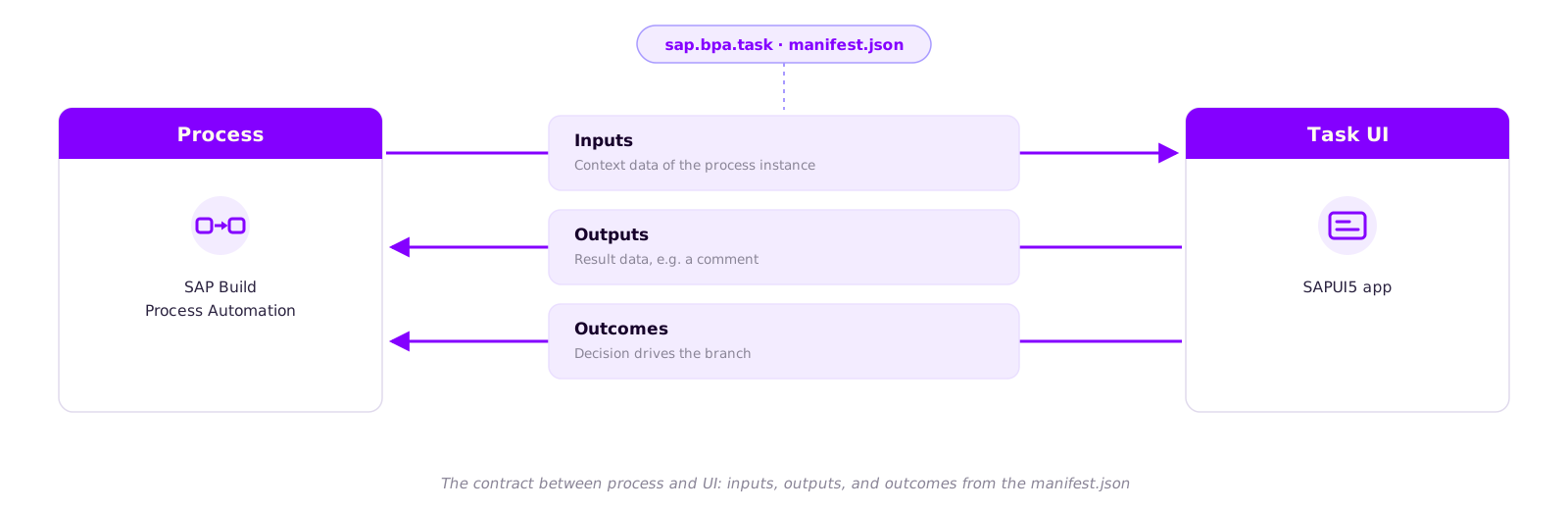
For process and app to work together, the application describes a small contract in its manifest.json: the sap.bpa.task node. Inputs define, as a JSON schema, which process data the task receives. Outputs describe what the task writes back, for example the approver's comment. Outcomes define the possible decisions, such as Approve and Reject, which continue as branches in the process model. This is exactly the structure the Process Builder reads during import, offering you the fields for mapping.
Your first SAPUI5 task in five steps
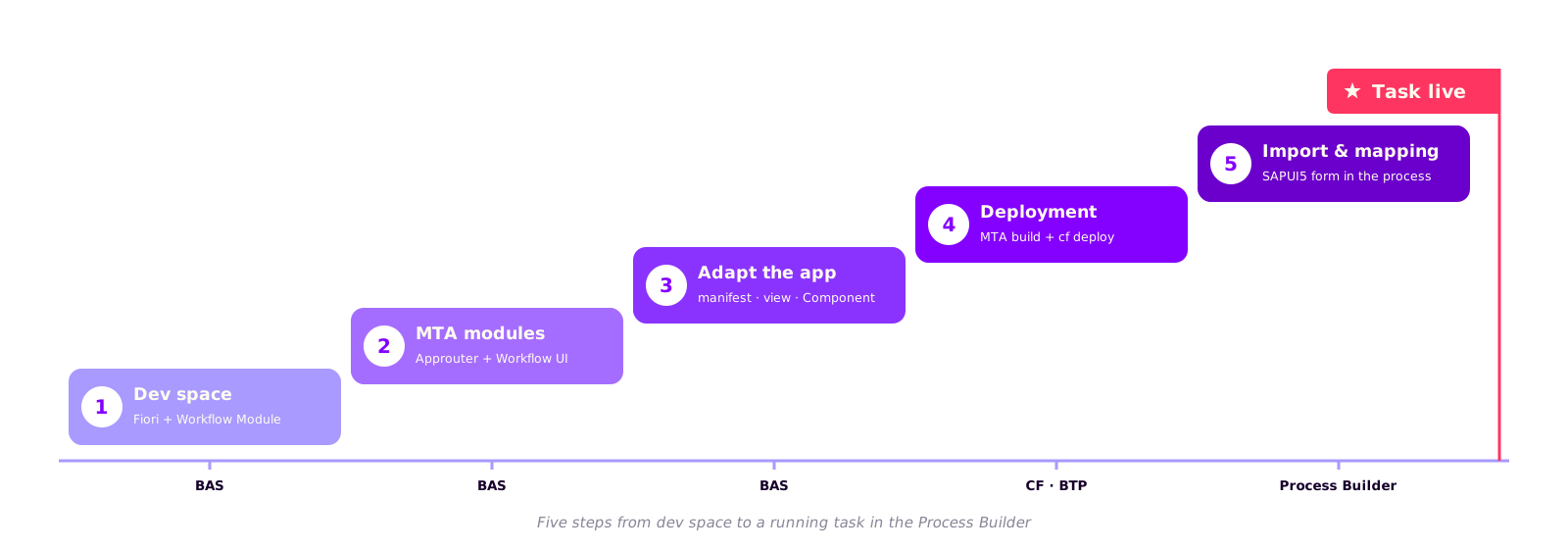
A clear sequence has proven itself in our projects. First: create a dev space in SAP Business Application Studio, type SAP Fiori plus the Workflow Module extension. Second: generate an MTA project with two modules from the templates: Approuter Configuration and Workflow UI of type Task UI. Third: adapt the app: sap.bpa.task in the manifest.json, a view with context bindings, actions in the Component.js. Fourth: build the MTA and deploy it via Cloud Foundry; the app appears in the SAP BTP cockpit under HTML5 Applications. Fifth: import the SAPUI5 form in the Process Builder, drag it into your process, and map the fields. Every one of these steps has its pitfalls, from the route order in xs-app.json to the naming in mta.yaml.
An honest assessment
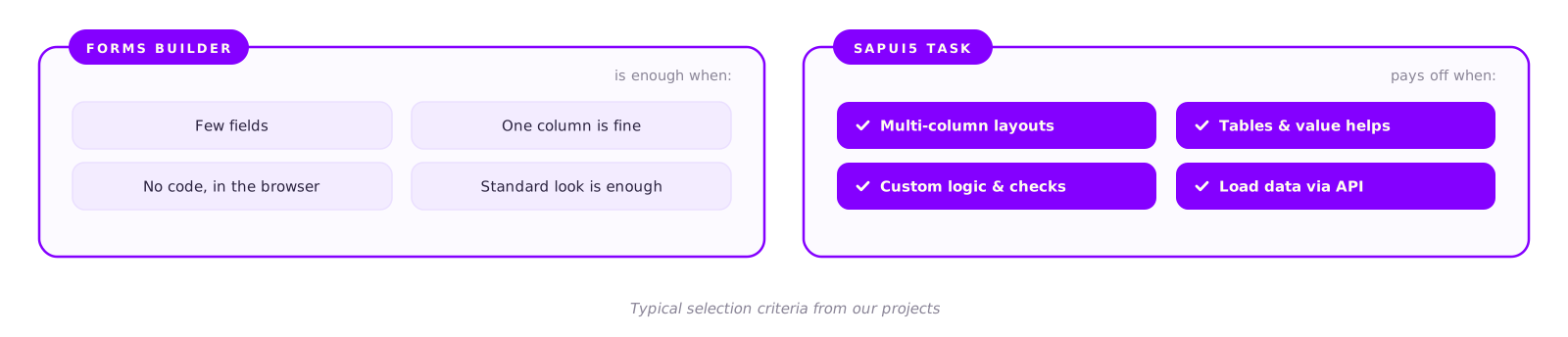
The Forms Builder is not the inferior tool. For simple approvals it remains the faster route: no code, no deployment, right in the browser. A SAPUI5 task pays off when layout, logic, or data access go beyond that. In return, it requires developer skills (SAPUI5, MTA, Cloud Foundry deployment) and brings its own lifecycle: the app is versioned and deployed outside the process project. Local testing is also limited, because the app only receives the task model and the Inbox API from the inbox at runtime. And if you practice in an SAP BTP trial account, the SAP tutorial notes a quota of five forms per project.
Conclusion
SAPUI5 tasks close the gap between a no-code form and a full application. You keep the strengths of SAP Build Process Automation (process model, roles, inbox) and gain the freedom of a custom-built UI exactly where your users see it every day.
We walk the complete path with you, from the dev space through manifest.json, view, and Component.js to import and mapping in the Process Builder, including the typical error sources.
Book a call
Got a specific process in mind?
Together we will check whether the Forms Builder is enough or a SAPUI5 task makes the difference, and build it with you if needed.
- 30 minutes
- video call
- no obligation
Keep reading
More on SAP Consulting
Bidirectional sync between SAP and an external system without an infinite loop
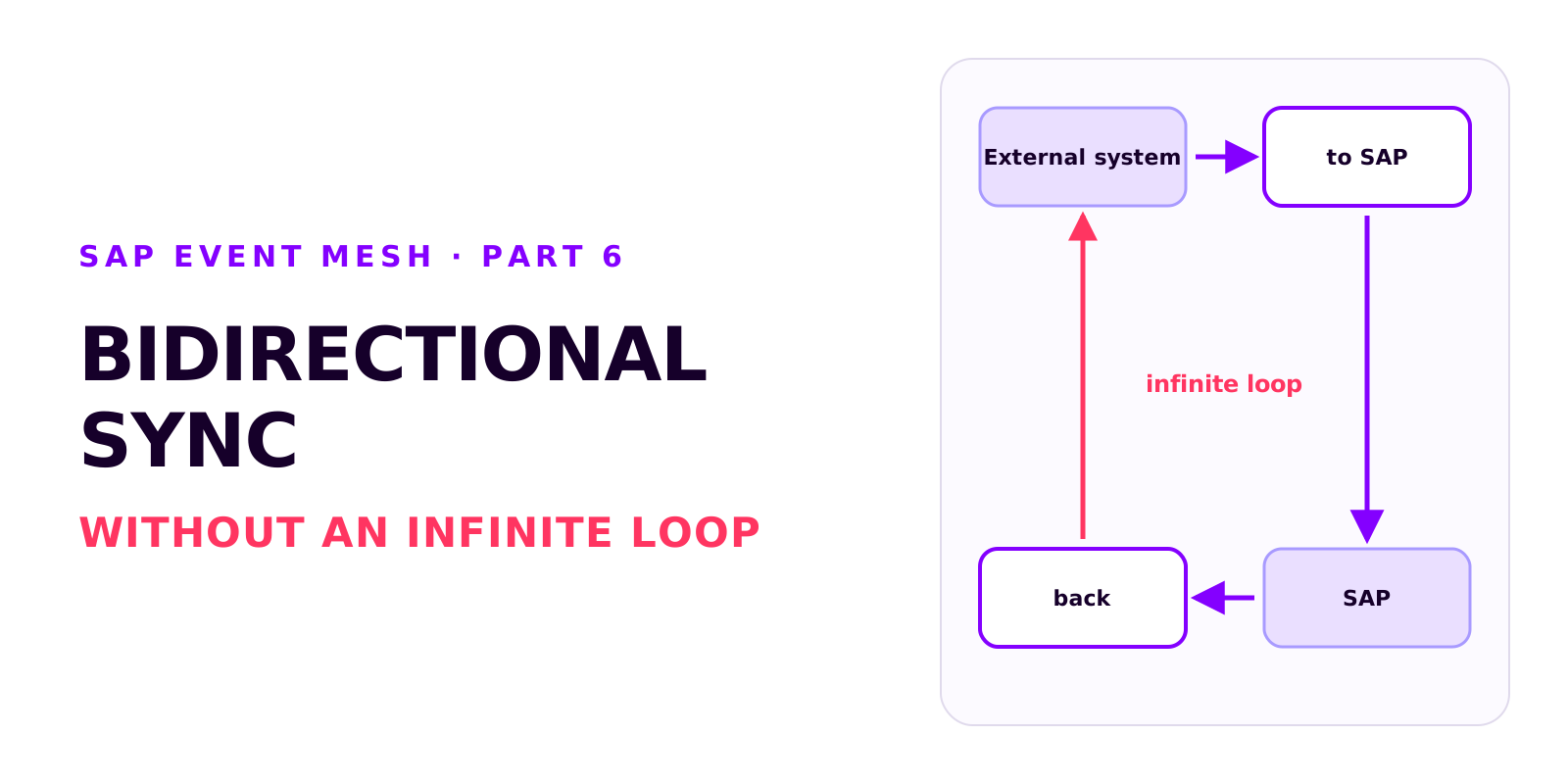
Two integrations that each work on their own can produce an infinite loop together. How it arises, how each side recognises its own writes, which field ties the records together, and why create and update mappings drift apart.
Poison messages, redelivery and the dead message queue in SAP Event Mesh
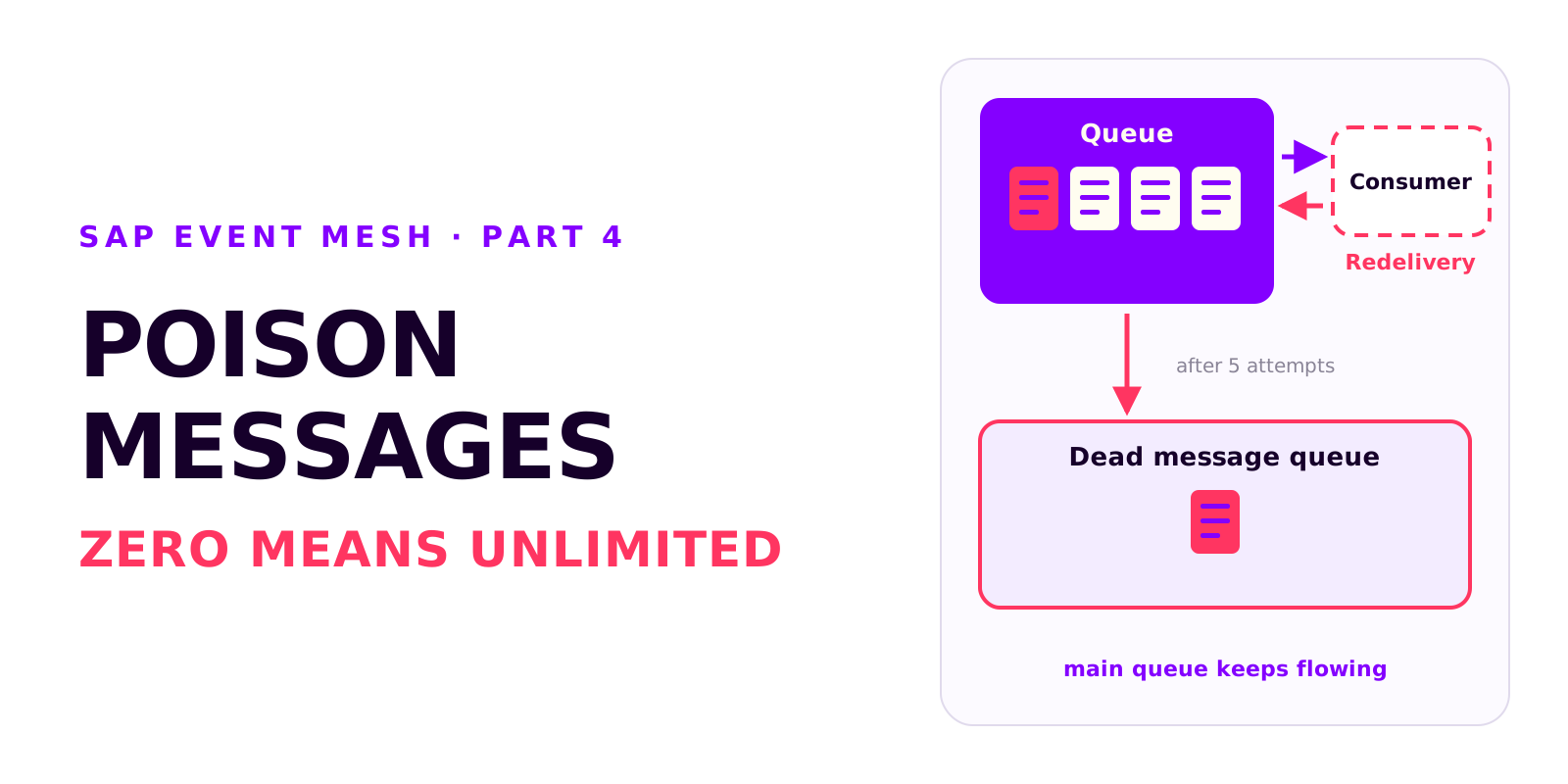
A message that can't be processed is redelivered without limit and blocks the queue. Why messages fail, how redelivery and the dead message queue work together, and which settings every productive queue needs.
Diagnosis in SAP Event Mesh: which view tells you what
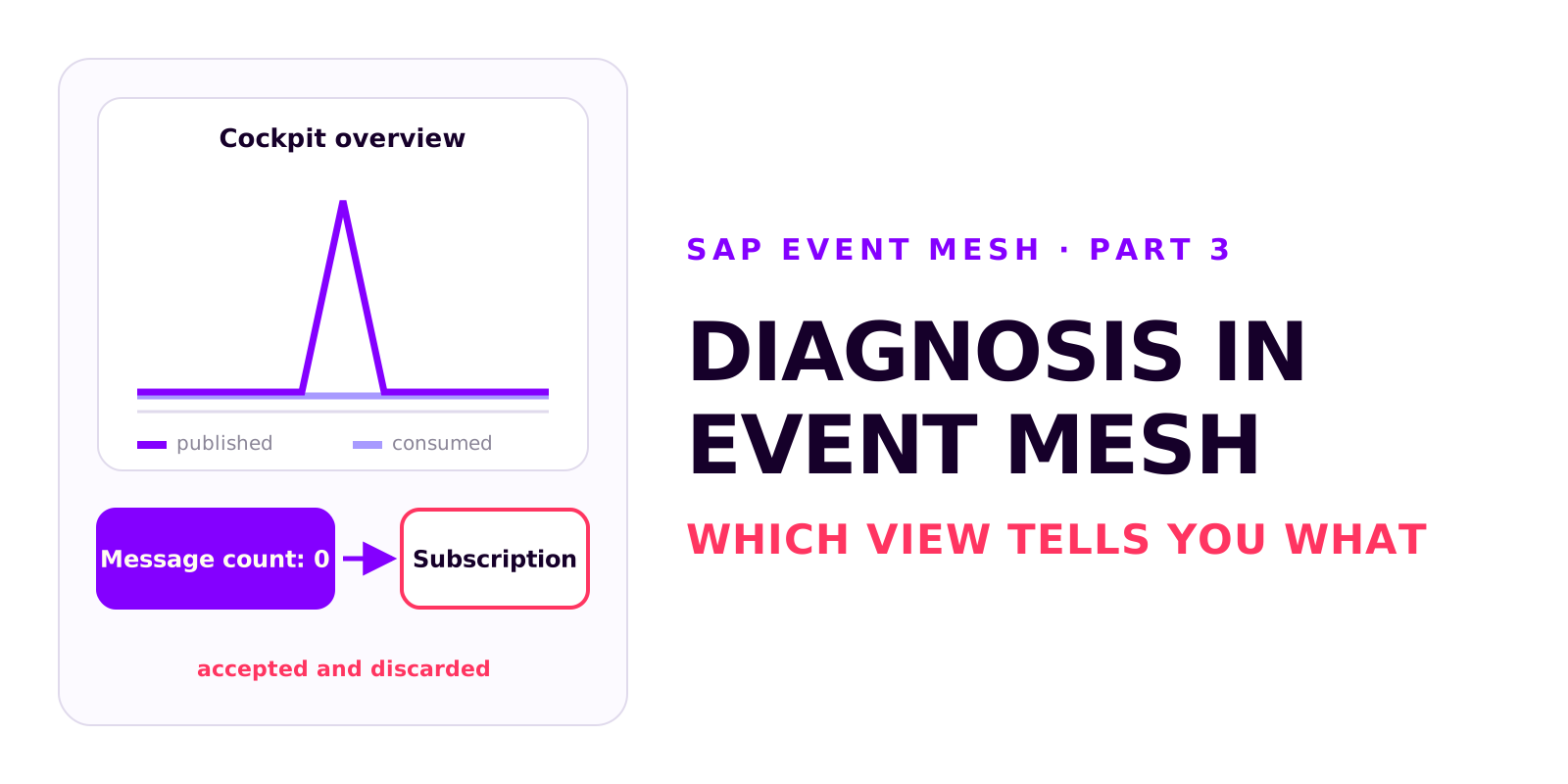
A decoupled integration has no end-to-end error message. Which four views in Event Mesh and Integration Suite tell you what, how to test without a source system, and how comparing the counters tells you where to look.