
Flexible Workflow in SAP S/4HANA: flexible approvals without development
S/4HANA approvals a key user adjusts without development: how Flexible Workflow works, why it blocks documents reliably and where its limits are.

Who approves your purchase requisitions? And who changes the rule when the value limit moves? In many companies, the answer to the second question is still: IT, with a ticket and some patience.
It does not have to be that way. With Flexible Workflow, SAP S/4HANA ships an approval tool that a key user configures directly. Low code instead of programming, no extra license. It is already part of your system.
What Flexible Workflow is
Flexible Workflow is the S/4HANA successor to the classic SAP Business Workflow. For each document type, SAP delivers a ready-made scenario: a template with all the building blocks an approval needs. For purchase requisitions, for example, there is a scenario for overall release.
A key user, usually from procurement, builds the workflows from this template in the Fiori app "Manage Workflows". Fiori is SAP's browser-based user interface. There they define when a workflow starts, how many steps it has and who approves. Colleagues in the business only see the result: the approver finds the task in the "My Inbox" app.
Why it is reliable: the document is blocked
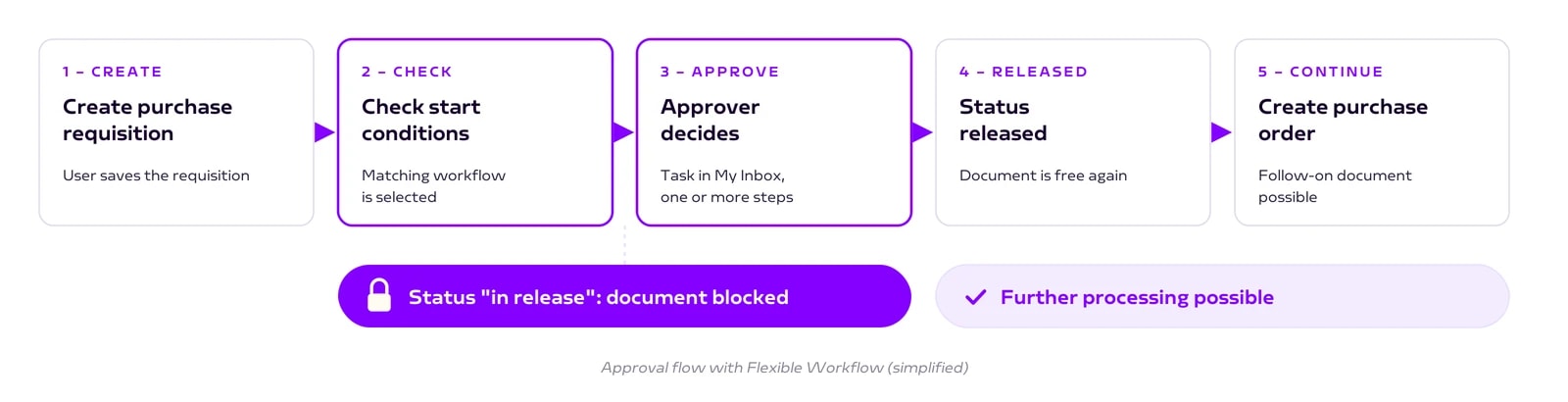
The most important benefit is invisible. While the approval is running, the purchase requisition has the status "in release". It cannot be converted into a purchase order during that time. Only the approval releases it.
This block comes from the application itself, not from the workflow tool. That is why approvals in the core are so reliable: status and workflow run in the same system.
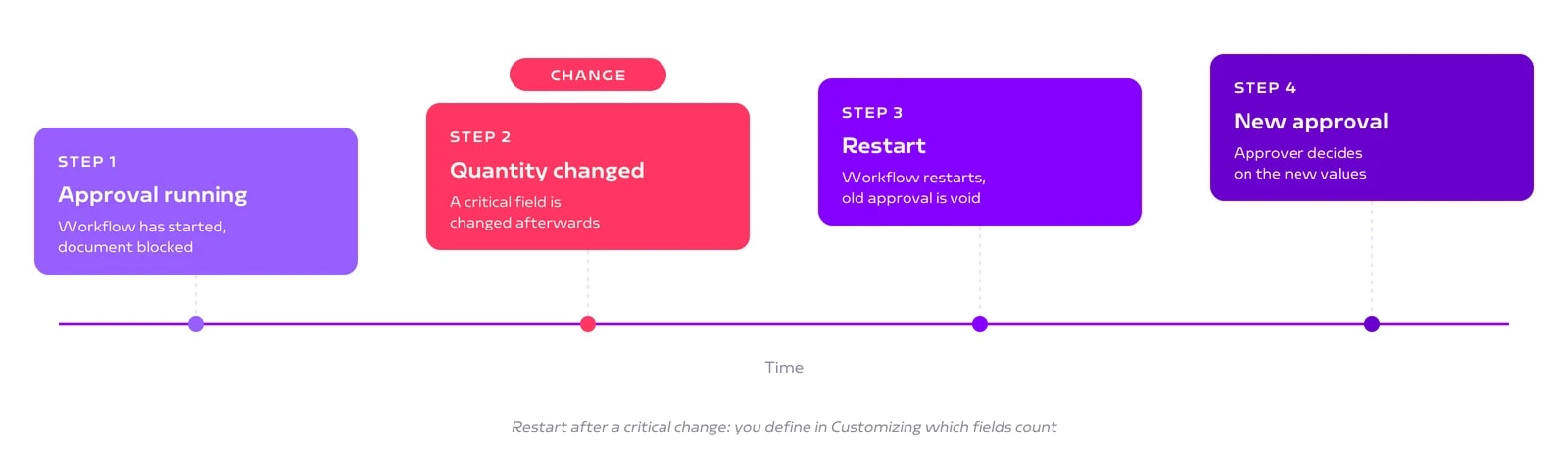
There is a second safeguard. If someone changes a requisition that is in approval, for example the quantity or price, the workflow restarts automatically. You define in Customizing which fields trigger this.
Start conditions: approval only where it is needed
Every workflow has start conditions. Typical examples from projects:
By organization. A workflow only for a specific company code or plant.
By value. From 1,000 euros the manager approves, from 10,000 euros the head of department as well.
By content. Separate rules for specific material groups, such as IT hardware.
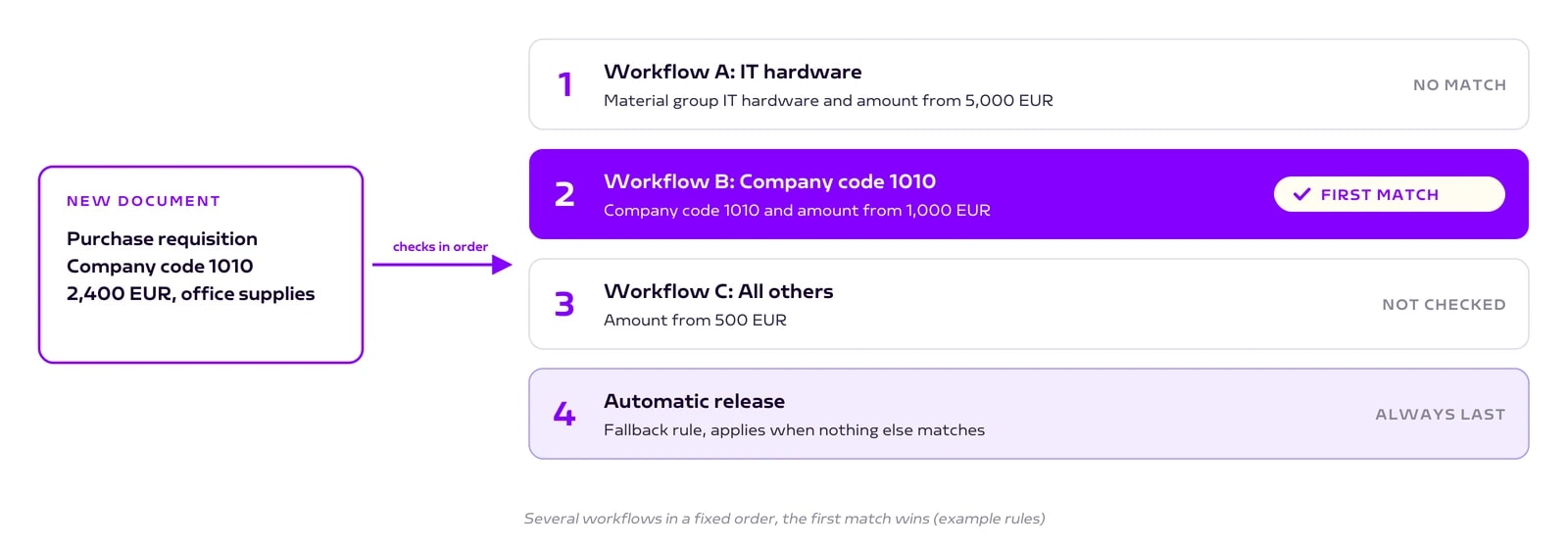
You can create several workflows. The system checks them in the order you define. The first workflow whose conditions match wins. At the very bottom there is always an automatic release as a fallback rule, so no document gets stuck.
Who does what
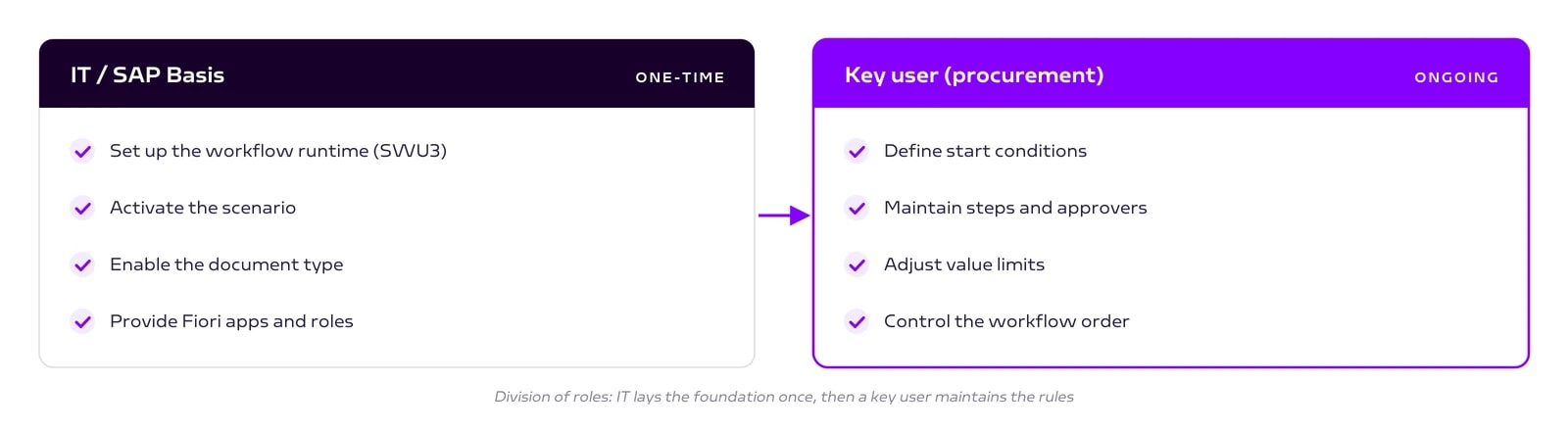
The roles are clearly separated. IT sets up the technical basis once: the workflow runtime, the scenario activation and the Fiori apps. After that, a key user maintains the rules in the Fiori app, with no developer and no transport. A new value limit or an additional approver then takes minutes, not weeks.
An honest assessment
Flexible Workflow is strong as long as the approval stays in the S/4HANA core. It covers the document types for which SAP delivers a scenario, such as purchase requisitions, purchase orders, supplier invoices and contracts.
With the standard steps alone, however, it has limits. External approvers without SAP access, checks in other systems or custom forms are not part of them.
That is exactly what extension steps are for. They let you add your own steps to the workflow and connect third-party systems, services on SAP BTP or processes in SAP Build Process Automation. BTP is SAP's development platform in the cloud.
The good news: the document still stays blocked in S/4HANA. Part two of this series shows how this works.
Conclusion
If you still handle S/4HANA approvals with classic workflows or release strategies, Flexible Workflow is worth a look. It is already licensed, maintained in a Fiori app and protects documents reliably.
Our step-by-step guide shows the setup for purchase requisitions, including all transactions and the typical pitfalls.
Book a call
Want to modernize your approvals right away?
Talk to us. We help with setup, migration and extensions.
- 30 minutes
- no obligation
Keep reading
More on SAP Consulting
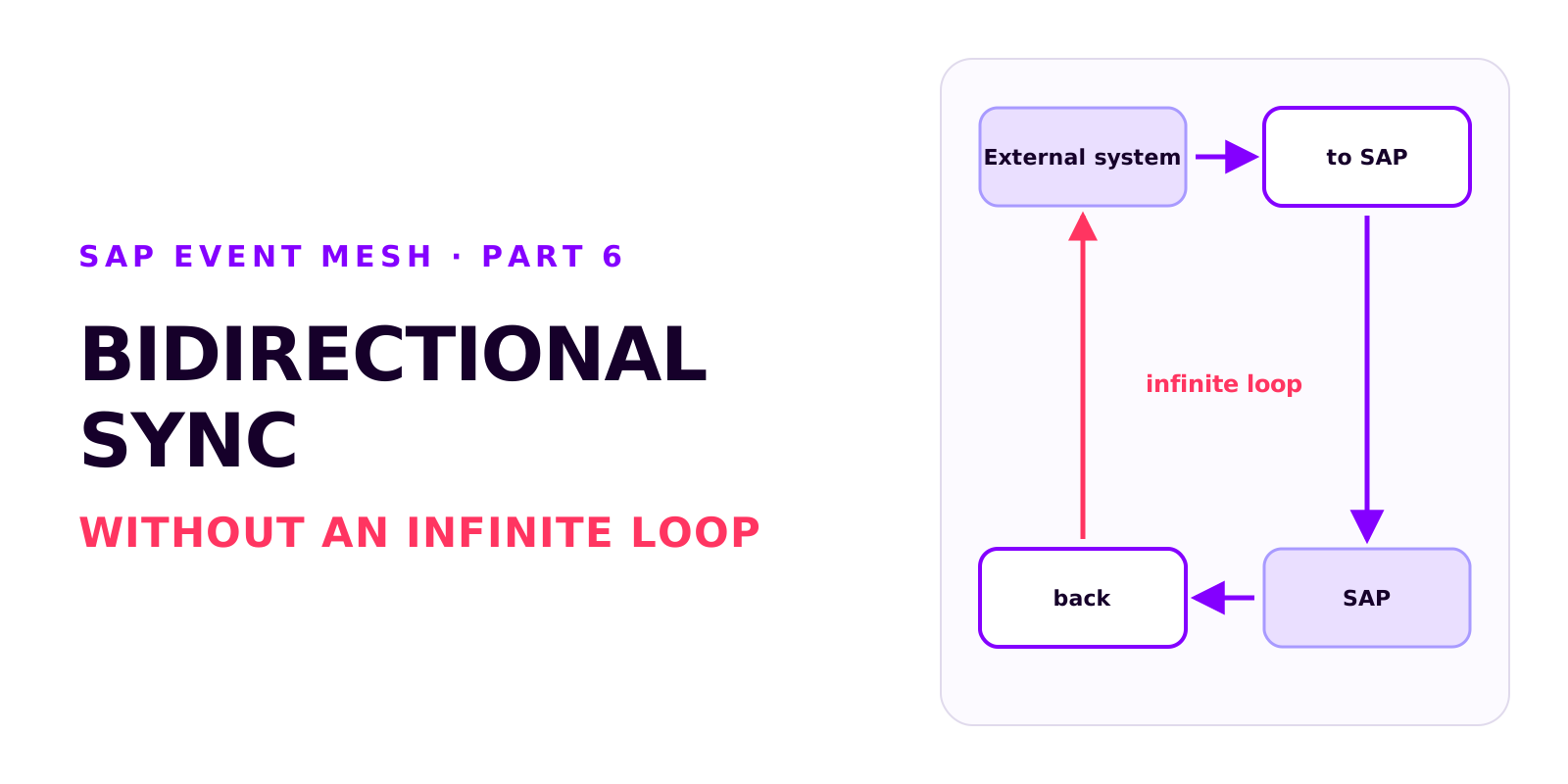
Bidirectional sync between SAP and an external system without an infinite loop
Two integrations that each work on their own can produce an infinite loop together. How it arises, how each side recognises its own writes, which field ties the records together, and why create and update mappings drift apart.
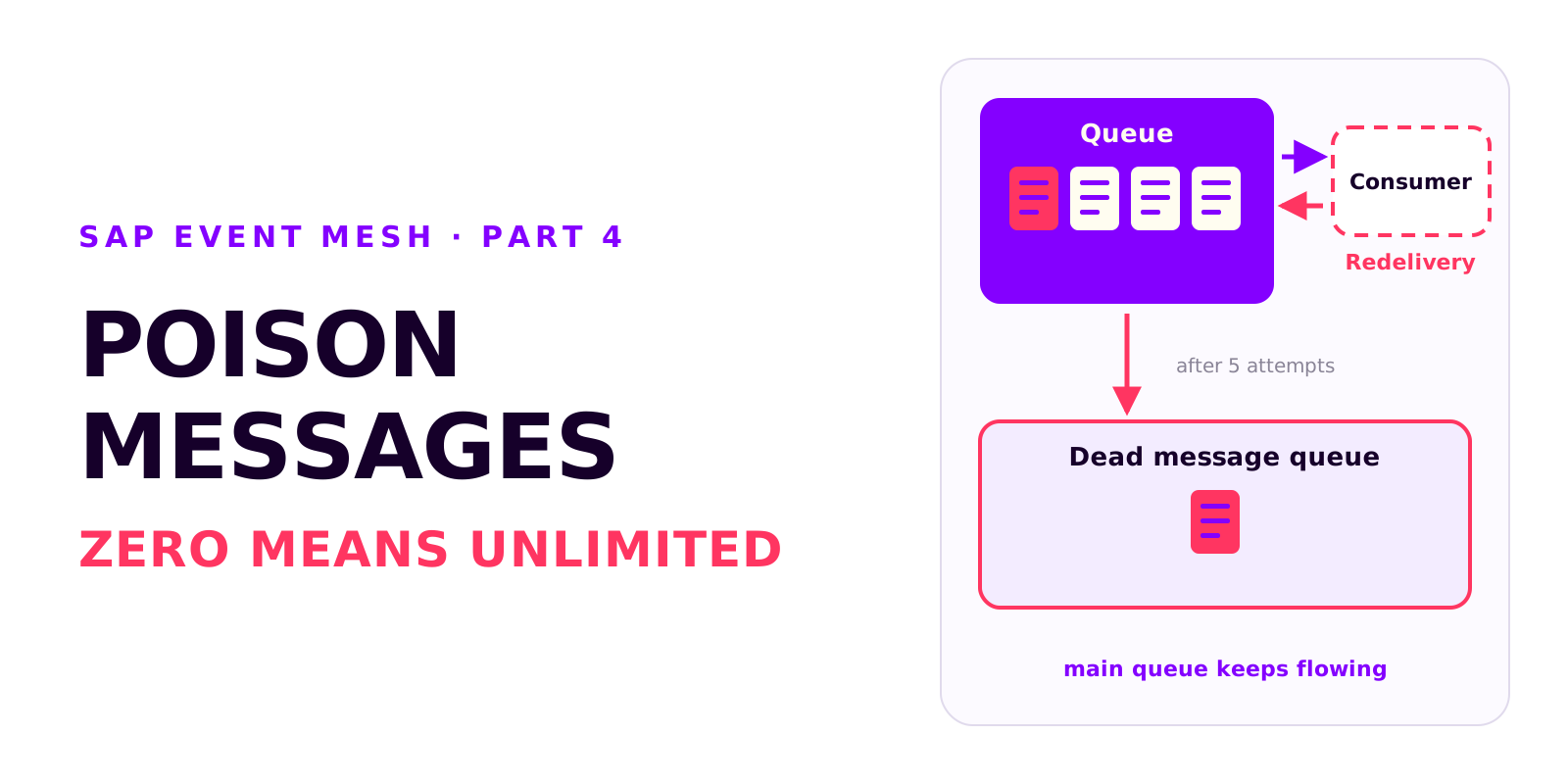
Poison messages, redelivery and the dead message queue in SAP Event Mesh
A message that can't be processed is redelivered without limit and blocks the queue. Why messages fail, how redelivery and the dead message queue work together, and which settings every productive queue needs.

Diagnosis in SAP Event Mesh: which view tells you what
A decoupled integration has no end-to-end error message. Which four views in Event Mesh and Integration Suite tell you what, how to test without a source system, and how comparing the counters tells you where to look.