
Extension steps in Flexible Workflow: add SAP Build Process Automation without losing the document block
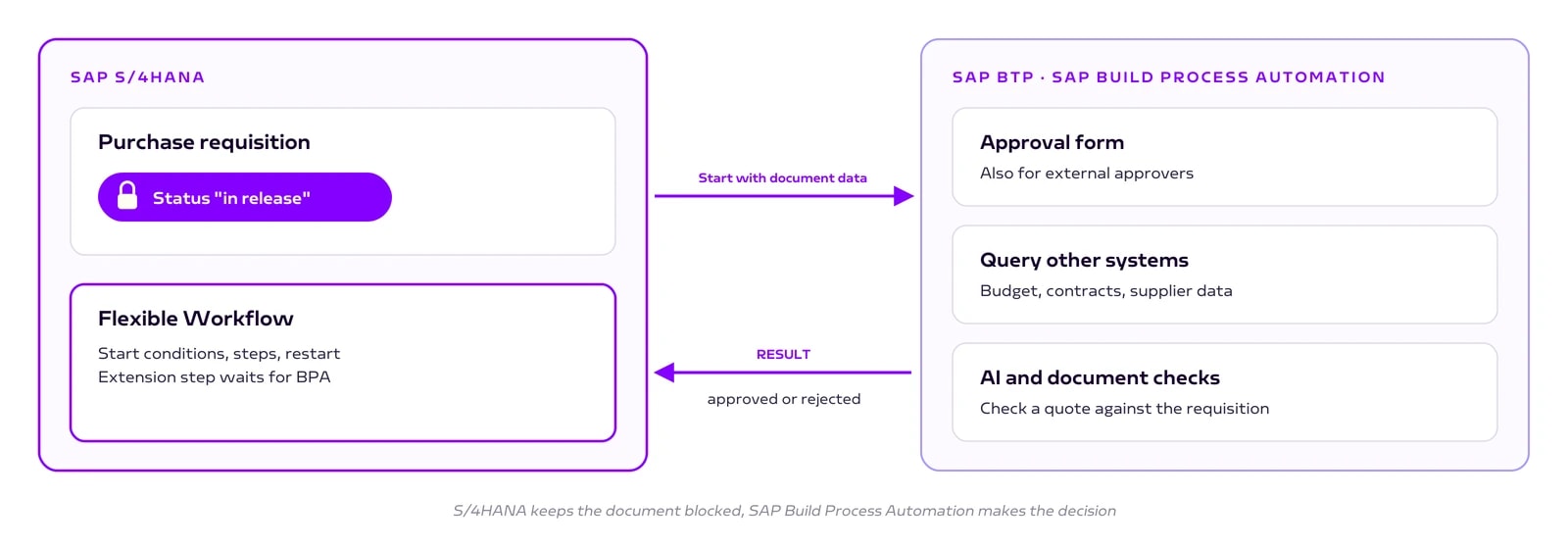
With an extension step, SAP Build Process Automation becomes one step in your Flexible Workflow. S/4HANA keeps the purchase requisition blocked while BPA decides.

Your approval runs cleanly in Flexible Workflow. Now an external partner without SAP access needs to sign off. Or a budget has to be checked in another system before the release. Do you rebuild everything?
No. With an extension step, SAP Build Process Automation becomes one step in your existing Flexible Workflow. S/4HANA keeps control of the document. The purchase requisition stays blocked while the decision is made on BTP.
Why not move everything to BPA?
SAP Build Process Automation (BPA for short) is SAP's low-code tool for workflows and automation on BTP, SAP's development platform in the cloud. It offers forms, approvals, rules and software bots. So why not move the whole approval there?
The reason is the document block. In Flexible Workflow the purchase requisition automatically has the status "in release" and restarts when it changes. This logic lives in the application in the S/4HANA core. A BPA process runs outside of it and only knows what an interface passes to it. You would have to rebuild the block, the restart and the consistency yourself.
What an extension step is
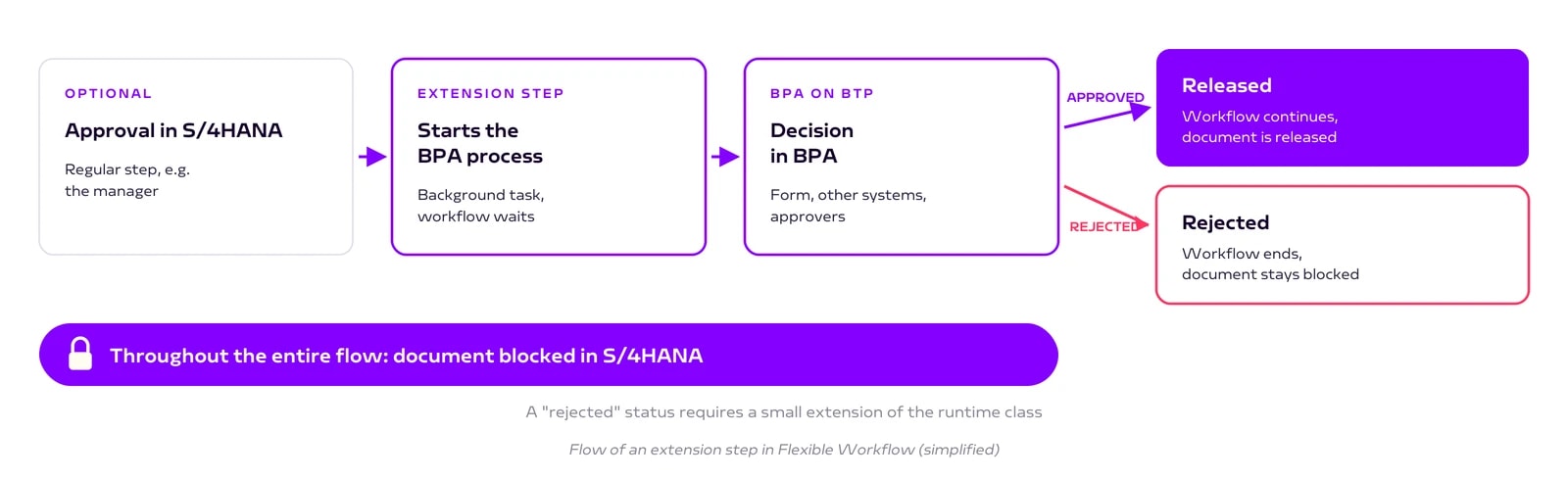
An extension step is a step in Flexible Workflow that hands the actual work to BPA. Technically, this happens:
S/4HANA starts the process. A standard SAP background task starts the BPA process and passes the document data.
S/4HANA waits. The workflow pauses at this point. The purchase requisition stays blocked.
BPA reports the result. Approved or rejected. Flexible Workflow then continues or ends.
The approach closest to the standard
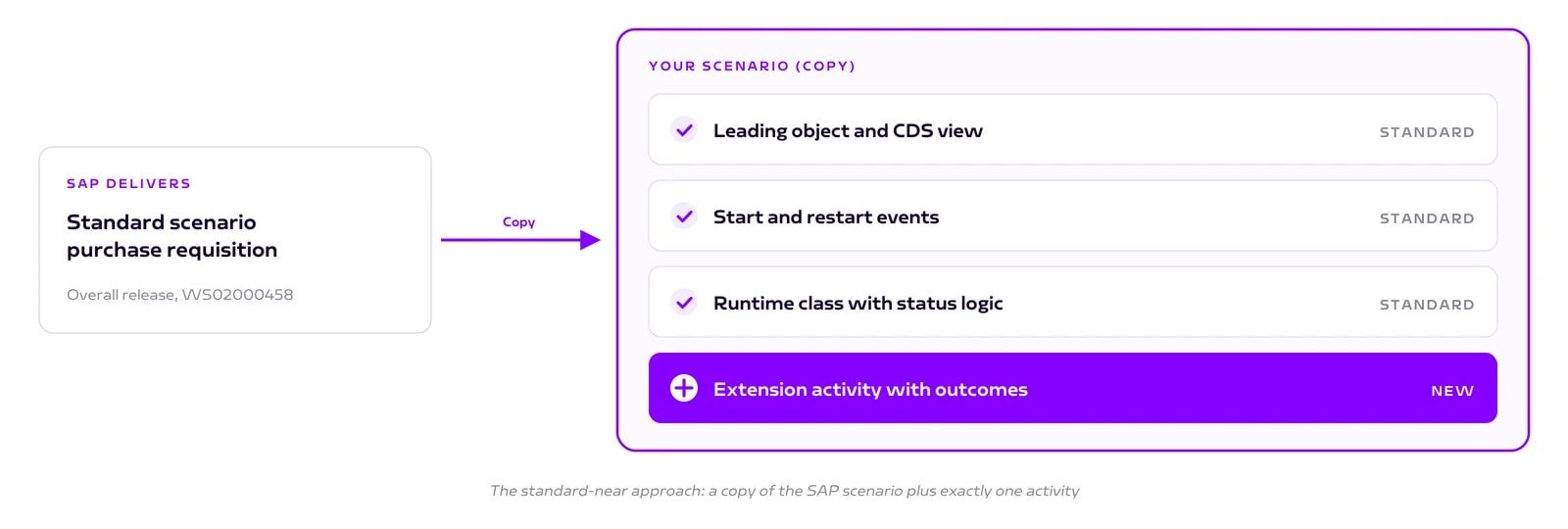
One important point first: extension steps are only available in custom scenarios, not in the scenarios SAP delivers. This is the part that requires development.
The clean approach is therefore a copy of the SAP standard scenario with just one additional activity. Everything else stays SAP standard: the leading object, the start and restart events and the runtime class that controls the requisition status. You do not need your own table or data model.
In the Fiori app "Manage Workflows", a key user then selects the BPA process as a step, just like any other step type. For reporting the result back to S/4HANA, SAP provides a ready-made action package in the SAP Build Store.
Typical use cases
External approvers. Partners or auditors decide in BPA without access to S/4HANA.
Checks in other systems. Budget, contract data or supplier risk are queried before the release.
AI and documents. A quote is automatically checked against the requisition before a person decides.
Forms. Additional information that has no field in the standard.
An honest assessment
The extension step is not a tool for every approval. If the process stays entirely in S/4HANA, plain Flexible Workflow is simpler and cheaper.
The standard-near approach is still development in the system. The custom scenario is ABAP work, not pure configuration. If you take clean core seriously, meaning an SAP system without grown custom code, weigh the effort consciously. The alternative, a process purely in BPA, keeps the core cleaner but loses the document block.
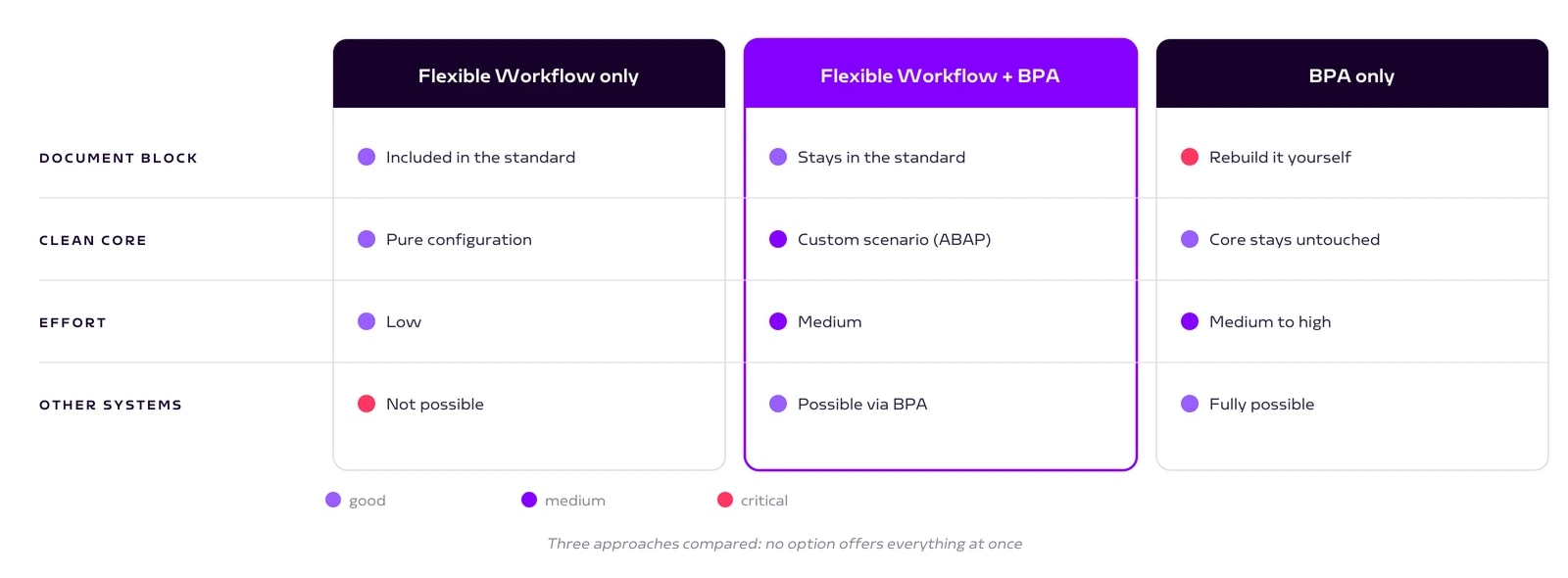
A few practical points on top: BPA needs its own license. Approvers work in a different inbox than in S/4HANA, unless you connect both through SAP Task Center. And the connection between BTP and S/4HANA has to be set up properly once.
Conclusion
Extension steps combine the best of both: the reliable document block of the S/4HANA core and the flexibility of SAP Build Process Automation. Copying the standard scenario keeps the custom part small.
Our step-by-step guide covers every step, from copying the scenario to an active extension step.
Book a call
Want to extend S/4HANA approvals with BTP?
Talk to us. We support architecture, integration and implementation.
- 30 minutes
- no obligation
Keep reading
More on SAP Consulting
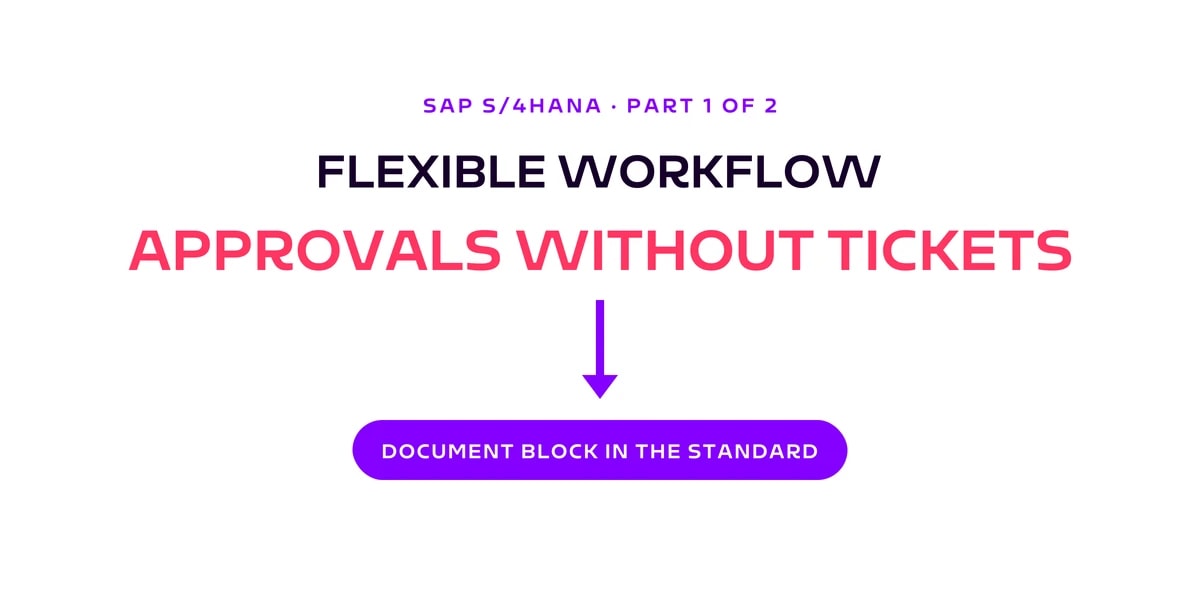
Flexible Workflow in SAP S/4HANA: flexible approvals without development
S/4HANA approvals a key user adjusts without development: how Flexible Workflow works, why it blocks documents reliably and where its limits are.
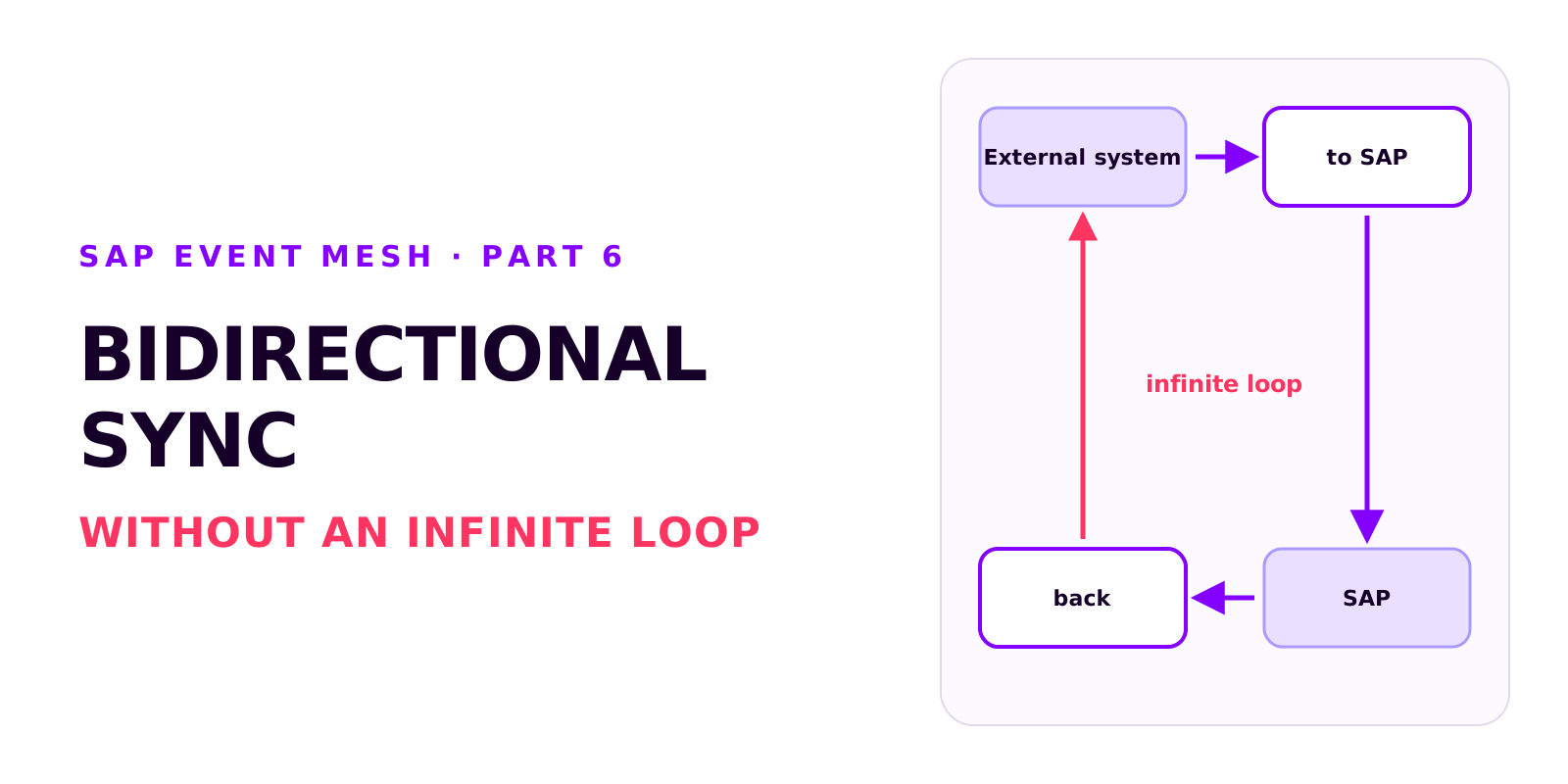
Bidirectional sync between SAP and an external system without an infinite loop
Two integrations that each work on their own can produce an infinite loop together. How it arises, how each side recognises its own writes, which field ties the records together, and why create and update mappings drift apart.
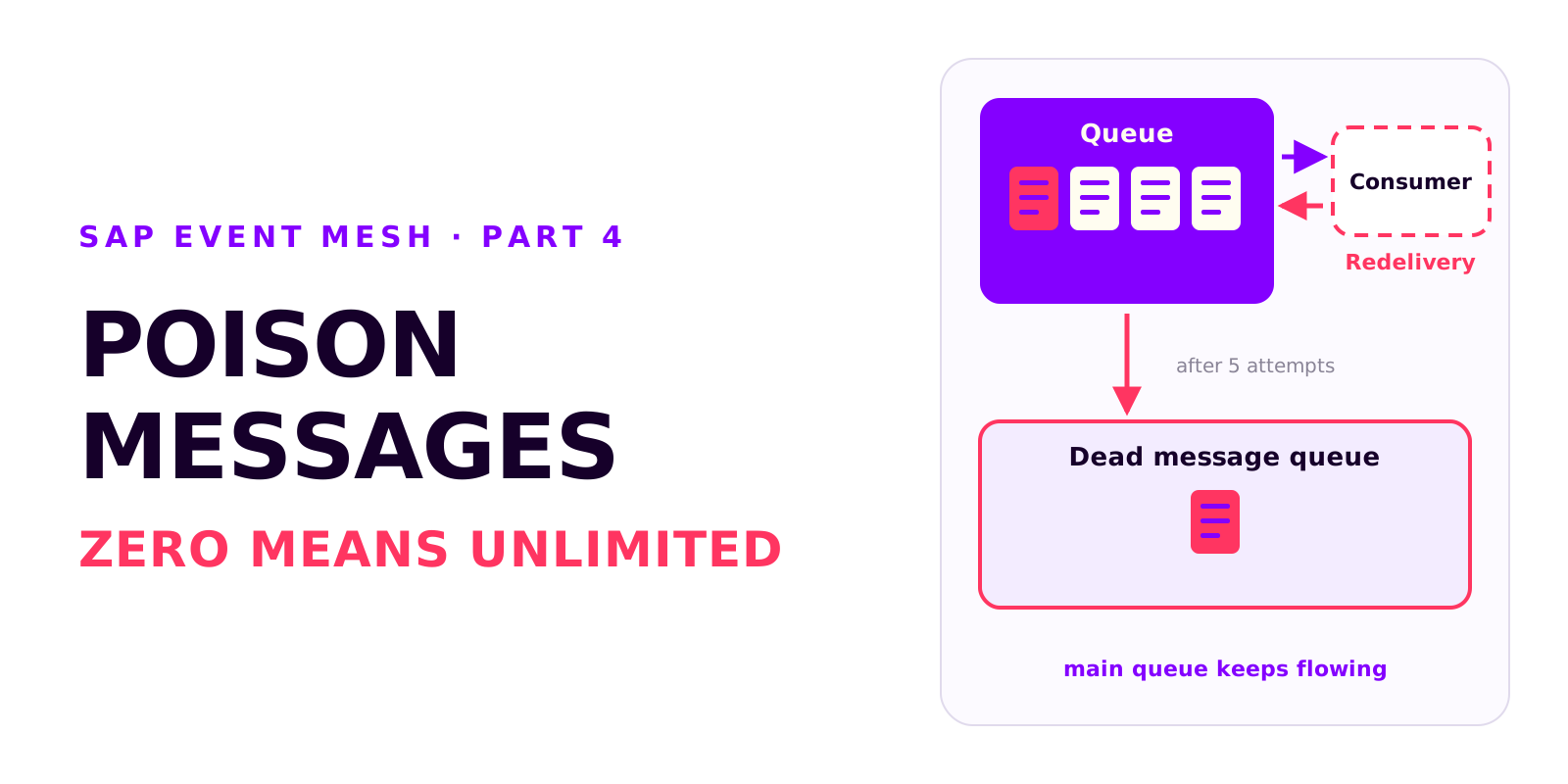
Poison messages, redelivery and the dead message queue in SAP Event Mesh
A message that can't be processed is redelivered without limit and blocks the queue. Why messages fail, how redelivery and the dead message queue work together, and which settings every productive queue needs.