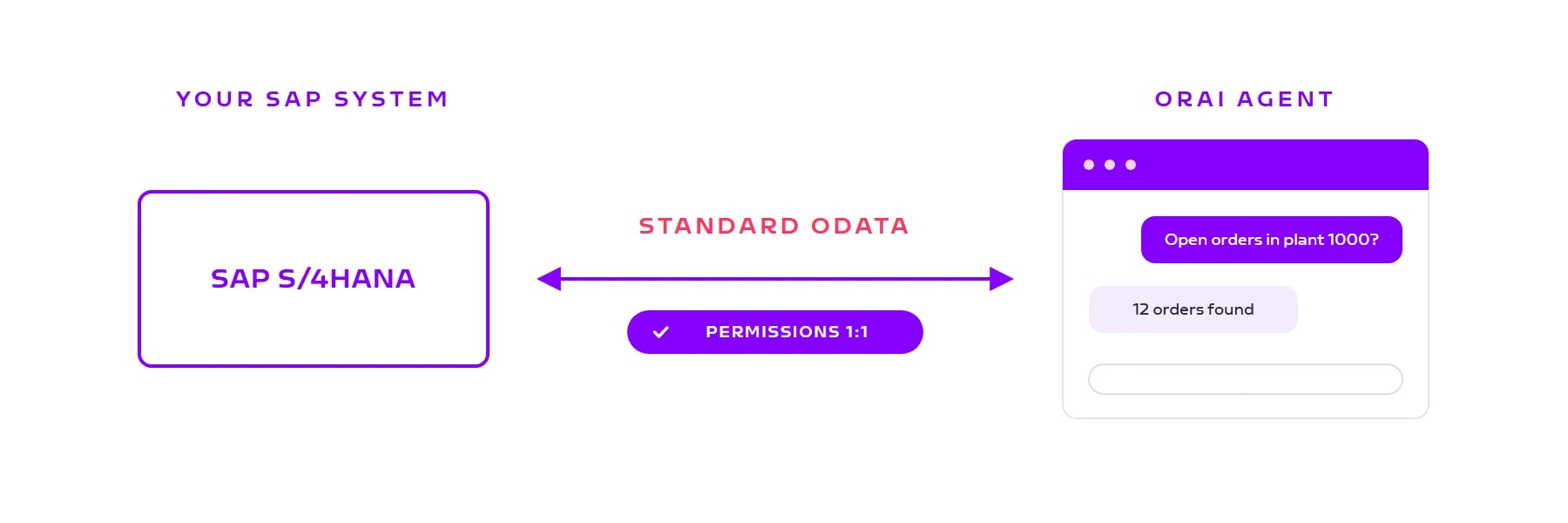
No custom ABAP, no proprietary adapters: ORAI Agent uses the standard OData interfaces SAP ships and applies your existing SAP permissions 1:1. How the connection works, what it requires, and why every query stays traceable.

This question comes up in every first conversation, usually with a worry behind it: are we signing up for an integration project? The short answer: no. ORAI Agent uses the standard OData interfaces SAP ships anyway. No ABAP development, no proprietary adapters, no changes to your system.
The longer answer comes down to three principles: standard instead of custom, real user permissions instead of a shared technical user, traceability instead of a black box. One at a time.
0
Lines of custom ABAP
100%
SAP permissions applied
120
SAP functions in the catalog
OData (Open Data Protocol) is an open standard for REST-based interfaces. SAP has built on it for years: Fiori apps speak OData, the integration tooling does, and SAP S/4HANA ships documented standard APIs for the core processes. These interfaces are already in your system, tested and maintained by SAP.
ORAI Agent builds directly on that: it reads the metadata of the released services and generates its functions from them automatically, from sales order headers to stock queries. What the catalog covers today, with more than 100 functions for order-to-cash and procure-to-pay, is laid out in this post (opens in a new tab).
Four steps, no changes to your SAP system.
Activate the relevant standard services in the gateway (sales, purchasing, material)
Securely via SAP Cloud Connector or VPN, on-premise or cloud
SSO via your identity provider, everyone uses their own SAP user
The agent reads the service metadata and is ready to go
ORAI Agent does not use a shared technical user that is allowed to see everything. Your employees sign in with their personal SAP user, and your existing role concept applies 1:1. Sales sees the customers of their region, purchasing sees their material groups, and whatever someone cannot see in SAP, they will not see in the chat either.
This has two pleasant consequences. First, there is no new authorization concept to design, the one that usually comes with every integration project: your existing authorization matrix stays the single source of truth. Second, every answer the agent gives is attributable to a real user.
Audit & compliance
Because every query runs under a personal SAP user, audit trails exist in two places: in your SAP logs, just like any other access, and in ORAI Agent itself, which records every question, every tool call, and every approval. Who queried which data when, and who approved which write action? That can be answered without gaps, including for TISAX, ISO 27001, or an internal audit.
Three things belong on the table.
The OData services need to be activated. SAP S/4HANA includes the standard APIs, but they are not always switched on. Activation is basis work of a few hours, not a project, but it does need your SAP basis team.
Older systems ship less standard. A current S/4HANA provides the full API catalog. On ECC, we check upfront which OData services are available and what can be added.
The network path is your call. SAP Cloud Connector or VPN, cloud or on-premise: both work, but your IT has to approve and support the route. We bring the reference architecture, the decision stays with you.
Book a call
Whether the connection takes days or weeks depends on your system version, activated services, and network path. We look at your system together, show the agent live, and you see what queries feel like with your own permissions.
Send us a note or book a short meeting.
