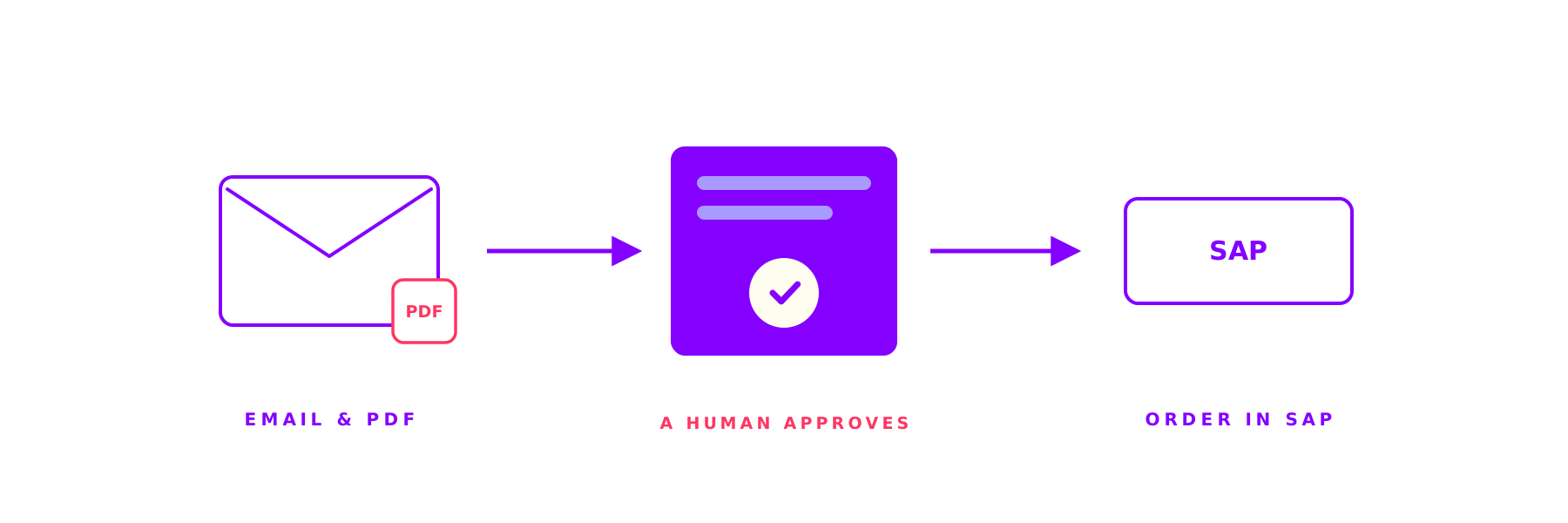
Orders by email, sales orders in SAP: AI captures, a human approves
How do customer orders get into your SAP system? At a mid-sized manufacturer, someone typed them in by hand. We turned that into a guided process on SAP Build Process Automation: AI reads the email and PDF, a person reviews and approves, and the sales order is created through standard OData. With an audit trail and monitoring.

How do customer orders get into your SAP system? And how often does a transposed digit only surface when the customer complains?
At a mid-sized manufacturer, orders arrived as email and PDF, and someone typed them into the system by hand. We turned that into a guided process on SAP Build Process Automation: AI reads the order data, a person reviews and approves, and the sales order is created through standard OData. No order lands in the system unchecked.
The starting point: orders by email, entry by hand
Customer orders arrived the way they usually do: as email, often with a PDF attached, in all kinds of formats. In the sales back office, someone opened each mail, read the order data from it and typed it into SAP: customer, material, quantity, requested date, reference number.
That works while volume is low. It gets slow at scale. Orders sit in the inbox when it fills up. A transposed digit in quantity or date only surfaces when the customer complains. And no one can see at a glance which order is already in the system and which is still waiting. Order capture was pure manual work, error prone and hard to trace.
5
Order fields the AI reads automatically from email and attachment
0
Orders booked into SAP without a human approval
100%
of orders with an audit trail and complete status history
The solution: AI reads, a human approves
We rebuilt order intake as an end-to-end process on SAP Build Process Automation. It starts with a shared mailbox. Every incoming order is captured automatically, including any attachment.
Then AI reads the relevant order data and structures it: customer, material, quantity, requested date, reference. These suggestions do not go straight into SAP. They land in a review tool in between. There, a team member sees the extracted data next to the original mail, corrects it where needed and approves. Only after approval does the process create the sales order in SAP, through the standard OData interface and therefore without custom code in the core. Every step is logged, with status and audit trail. Exceptions follow defined escalation paths instead of getting lost in an inbox.

How order capture runs
From inbox to sales order, in one guided flow.
- Intake
Orders land in the shared mailbox and are captured automatically, including any attachment.
- AI extraction
The AI reads the order data and structures it for further processing.
- Review and approve
A team member checks the suggestions, corrects where needed and approves.
- Create in SAP
After approval, the sales order is created through standard OData, with retries and monitoring.
The result: captured faster, booked cleanly, fully traceable
Manual retyping became a guided flow. Order data reaches the approval step pre-filled and checked, instead of field by field by hand. Mistakes in quantity, date or material show up before the order is in the system. And every order is traceable, from the incoming mail through approval to creation.
For the back office, that means less typing and less searching. People handle the cases that actually need a decision, not every line. And because creation runs through the standard API, the SAP system stays clean and upgrade ready.
Why order capture so often stalls
Orders rarely arrive structured. Sometimes as free text in the mail, sometimes as a PDF, sometimes as a photo of an order form. Every manual entry is a source of error, and every error costs more later than the minute it saved during typing. APQC (opens in a new tab) benchmarks show how big the lever is: top performers handle more than 90 percent of their orders without manual intervention, while weak performers rework one in five by hand.
The point is not to take the human out. The point is to take the typing off their plate and leave them the control. The AI proposes, the person decides. Capture stays fast, and no unchecked data lands in SAP.
An honest look: when does AI pay off in order intake?
Not every order intake needs AI. Four questions show whether the process pays off.
How many orders arrive by email and PDF? The higher the share, the bigger the lever.
How similar are the formats? Similar but never quite the same: that is exactly where AI plays its strength.
How expensive are mistakes? Where a wrong quantity or date really hurts, the review step pays off twice.
Should creation run Clean-Core-compliant? Standard OData instead of custom code keeps the system upgradable.
Where customers already order in a structured way over EDI, a direct connection is the better route. And where only a few, always identical orders come in, a lean form is often enough. An honest look at volume, format variety and the cost of errors quickly shows whether the effort is worth it.
How we work at ORAI
We combine deep SAP knowledge with the practical use of AI. Order processes, standard OData instead of custom code, a review step with clear roles: that is everyday work in our projects. How we think about AI in SAP is in our article on Joule, ChatGPT and the ORAI Agent. A related process project is our reference on material master creation at a machinery manufacturer, and you will find an overview of our services under SAP Consulting. In every project, a founder sits at the table, not a pyramid of juniors.
Contact
Is someone at your company typing orders into SAP by hand?
Tell us briefly how orders reach you today and at what volume. We will tell you whether AI capture pays off or whether another route fits better.
- no obligation
- no sales pressure
Keep reading
More on Client Projects
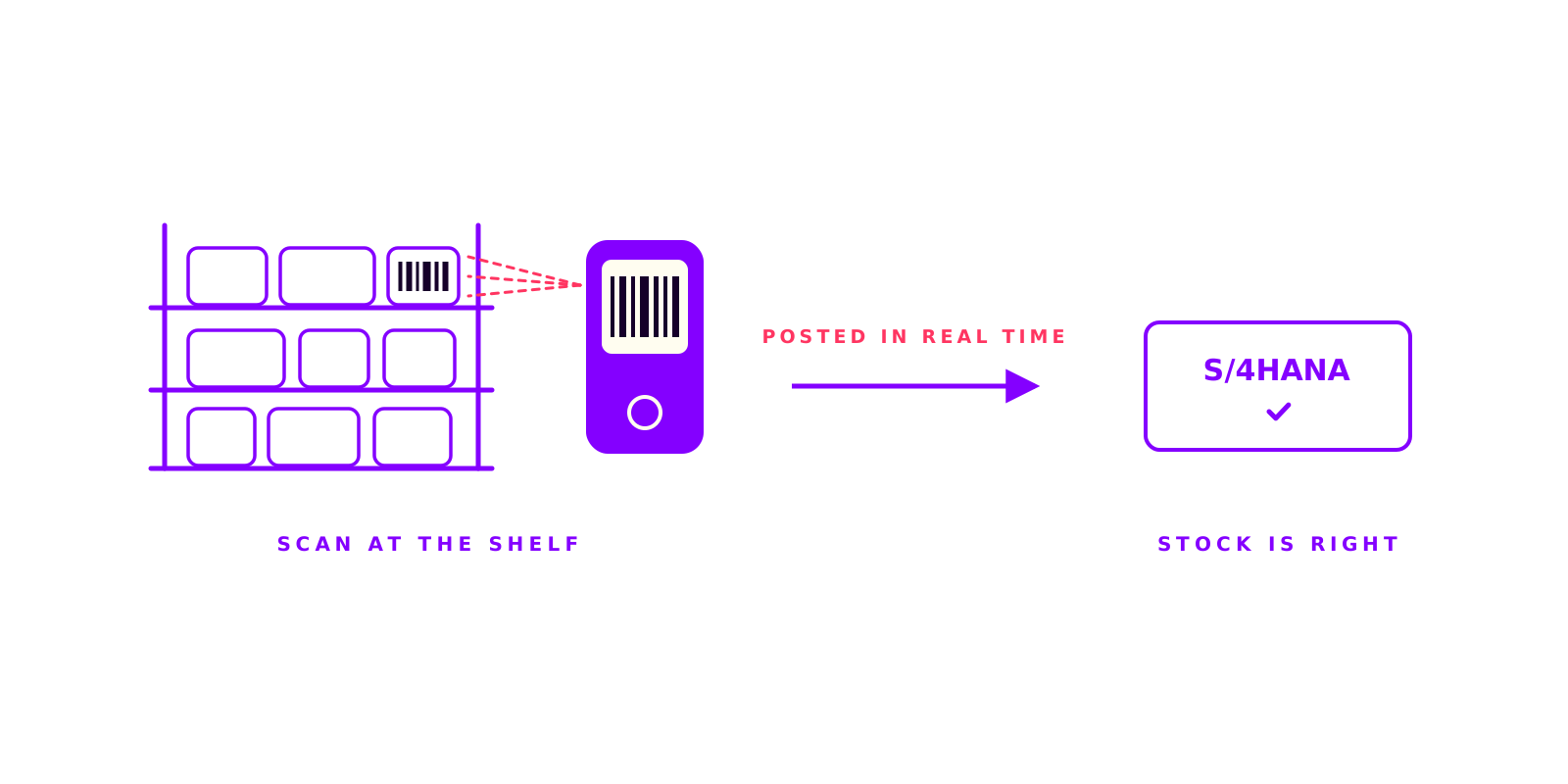
Scan instead of paper: mobile warehouse processes with SAP Build Apps
Where do you post stock movements: at the shelf or later at a desk? In one warehouse, movements were noted on paper and keyed in later. We built mobile apps with SAP Build Apps that handle goods receipt, transfers, stock counts and shipping right on the handheld. With barcode scanning, offline capable and booked straight into S/4HANA.
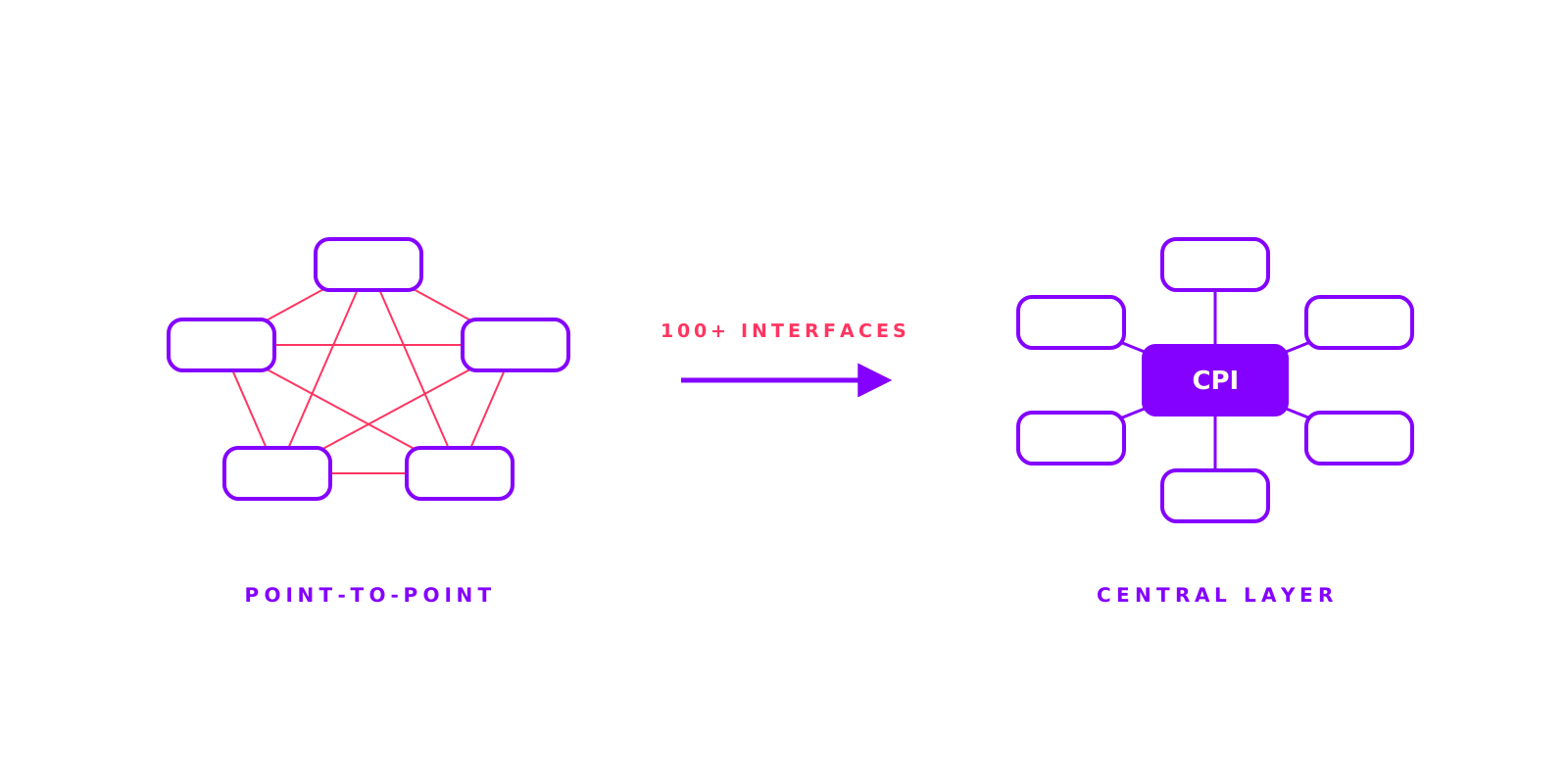
100+ interfaces, on-time go-live: S/4HANA integration at an automotive supplier
More than 100 interfaces, three plants, live JIT supply: an automotive supplier was moving to SAP S/4HANA. The risk was not the ERP but the point-to-point integration that had grown over years. We helped turn it into one central layer on CPI. The go-live landed on schedule.

Product Knowledge in Seconds: How a Machinery Manufacturer Transformed Sales and Service
A mid-sized industrial machinery manufacturer wanted to give their sales and service teams faster access to product information. With the ORAI Agent and a simple SharePoint connection, the solution was live in just 3 weeks.